
Low-quality leads from LinkedIn and Meta ads: the ad and the form decide who fills it
Nimblet teamUpdated 40 min read
Short answer
A low cost per lead means the ad, the offer and the form made saying yes easy for everyone, buyers and non-buyers alike. Six filters decide who fills a form: who the ad calls out, how specific its promise is, what the offer costs the reader, what the form asks, who actually sees the ad and whether the page keeps the promise. Ask sales for the five best and five worst leads, trace each one to its ad, change the one filter that the worst leads share, and use the audit sheet, the prompt and the fix table on this page.
On this page9 sections
- 01Why does a low cost per lead bring bad leads?
- 02How do you find which ads bring the wrong people?
- 03What does the ad do to the lead mix?
- 04What does the form do to the lead mix?
- 05Who actually saw the ad?
- 06Does the landing page keep the promise of the ad?
- 07Which fix matches which cause?
- 08What is freemail drift on Meta sign-up campaigns?
- 09Frequently asked questions
Sales says the leads are junk, and your cost per lead (CPL) looks fine. This guide shows how to find which ad, offer or form brings the wrong people. It uses the platform reports, the lead list and five minutes of sales judgment. The fixes are in the ad, the offer and the form.
We read the help pages of LinkedIn and Meta for lead forms and the lead ads work of the practitioner Jon Loomer. We also read public ads from both ad libraries, found with a Germany filter in October 2026. A statement that comes from a platform links its help page. A statement that is our reading says so.
Why does a low cost per lead bring bad leads?
Because the ad, the offer and the form make saying yes easy, and the people who say yes most easily are not always the people who buy. Meta's own text shows the mechanism. With the goal "Maximize number of leads", "your ad will be shown to people in your audience who are most likely to share their contact information with you" (Meta). People who share contact details easily and people who buy overlap only in part.
CPL is spend divided by leads. It falls when more of the people who see the ad finish the form. LinkedIn sells lead form ads by the click or by the impression, and its help page says cost per lead is not available at this time (LinkedIn). Forms also fill themselves. A LinkedIn Lead Gen Form populates contact and profile details when a member clicks the call-to-action button (LinkedIn). A Meta instant form prefills from the Facebook or Instagram profile (Meta). An easy form lowers CPL for every kind of reader.
Four kinds of people finish a form easily. This list is our reading.
- The owner of the problem has the problem now and wants it solved.
- The learner wants to know the answer. A learner can be a student, a consultant or a rival.
- The collector wants the free item. One PPC Agency writes that broad free offers attract people who want the incentive and not the paid service (One PPC Agency).
- The quick tapper tapped the ad and let the prefill do the rest.
Curiosity pulls differently from need. A review of the research lists the traits of curiosity as intensity, transience, association with impulsivity and a tendency to disappoint when satisfied (Loewenstein, 1994). In our reading, that fits a lead who fills a form in two seconds, reads the asset once and never answers the phone. Also in our reading, curiosity is open to everyone and a problem belongs to someone. So a hook that rests on curiosity reaches the whole feed, and a hook that rests on a problem reaches the people who own it.
The way out is a filter. A filter is any part of the ad or the form that is easy for the right person and awkward for the wrong one. A first line that names the reader's role costs the right reader nothing. A form with ten fields costs every reader something. Use filters of the first kind first.
Every filter has a price, and the platforms say so. Meta says work email validation "may affect the number of generated leads and the cost per lead" (Meta), and conditional logic "may increase your cost per lead" (Meta). LinkedIn says validating the work email field "might improve the quality of leads", while "the submission rates of your form might decrease" (LinkedIn). A better lead mix shows up as a higher CPL. So compare ads on cost per fit lead, which Step 5 below explains.
One warning before you add filters. Jon Loomer advises you to start with the fewest questions, to collect enough volume to judge quality, and to add controls only when a clear problem shows (Loomer). He also says to check your own follow-up first. We agree with both points. The two-pile loop in the next section shows whether the bad leads share a cause before you touch a setting.
How do you find which ads bring the wrong people?
Ask sales for the five best and the five worst leads of the last month, trace each lead to the ad that made it, and read the two piles side by side. The ads that fill the worst pile and miss the best pile are the ads to audit first. It takes sales about five minutes and takes you about an hour. You need only the lead list and the platform reports.
Paste this sheet into the thread. The steps below explain each part.
LEAD FILTER AUDIT
One page per ad. Fill it in with the ad open next to the lead list.

Ad: [ad name or ID]   Platform: [LinkedIn or Meta]   Period: [from] to [to]
Spend: [amount]   Leads: [count]   Cost per lead: [spend divided by leads]
Buyer we want: [job, company type and size, country]

PART 1. TWO PILES
Sales names the five best and the five worst leads of the period. Best = we would call this person first. Worst = we would not call this person again.
For each lead of this ad write one line:
[lead ID] | best or worst | job title | company type and size | email type (work or free) | country | reason code

Reason codes for worst leads (one per lead)
W1 wrong role or level (student, intern, junior)
W2 wrong company (too small, agency, vendor, competitor)
W3 wanted the free asset and nothing else
W4 curiosity tap (cannot say why they filled the form)
W5 free email address and no company on record
W6 cannot be reached (wrong number, bounced email)
W7 confused (expected something other than a sales contact)
W8 wrong country or language
W9 bot or duplicate
W0 none of these (write the reason)

PART 2. FIT READ
Read 20 leads of this ad, chosen at random from the period (all of them if there are fewer).
Fit = the job and the company match the buyer above.
Fit share = fit leads divided by leads read.
Cost per fit lead = spend divided by (all leads x fit share).
Leads read: [n]   Fit: [n]   Fit share: [percent]   Cost per fit lead: [amount]
Twenty leads give a rough range. One lead moves the share by 5 points. Use the result to choose what to change, then read the next 20.

PART 3. SIX FILTERS (one line each, quote the exact words of the ad)
1. Who the ad calls out: [words in the first line that name a role, a situation or a rival, or "none"]
2. How specific the promise is: [the situation, the result and who it is not for, or "none"]
3. Price of entry: [what the reader gives to get the offer: data, time, a call, a seat]
4. The form: [fields, work email check, questions and the default answer, the line that says who will call]
5. Who saw the ad: [seniority, job function, company size, country and placement from the platform report; audience expansion on or off]
6. The page or the thank-you text: [does it repeat the promise of the ad? yes or no, with the line]

PART 4. VERDICT
Most worst leads point to filter: [1 to 6]
Fix by cause
W1 and W2: name the role in the first line, check the delivered audience, exclude titles and company types, turn audience expansion off (filters 1 and 5)
W3: tie the asset to a work situation, add one question about that situation (filters 2 and 3)
W4: lead with a problem only the owner feels, add a review step or a question, on LinkedIn make the pre-selected answer the honest one (filters 2, 3 and 4)
W5, W6 and W9: work email check, phone check, or filter the event on your server (filter 4)
W7: make the ad, the form and the page say the same, and say who will call and when (filters 4 and 6)
W8: fix the location settings (filter 5)
One change: [one change only]
Read again on: [date], with the next 20 leads
Step 1: ask sales for two piles
First rule out your own follow-up. Jon Loomer asks how fast new leads are contacted, how easy it is to book a call, and whether leads can be reached by phone and email (Loomer). If sales calls a week late, fix that first.
Then send this message to the sales lead.
Subject: Five best and five worst leads, [period]

Hi [name],

I want to find out which of our ads bring the wrong people. I need five minutes of your judgment. No spreadsheet is needed.

1. Pick the five leads from [dates] that you would call first. Pick the five that you would not call again.
2. For each lead send me the lead ID or the email in a direct message, not in the channel, and one line on why.
3. If a lead never replied, say that. Please do not guess a reason.

Please send it by [day]. I will trace each lead to its ad and share the result in this channel.

Thanks,
[your name]
Step 2: trace each lead to its ad
Each platform can put the ad on the lead record.
- LinkedIn Lead Gen Forms: use hidden fields. The field name becomes a column in the Leads report. Dynamic parameters fill the column for every lead: account, campaign, ad set and ad, each as an ID and as a name. A form holds up to 20 hidden fields. You can add them to a new form or to a saved form, but not to a form that an active ad set already uses (LinkedIn). So build the form with the fields in place before launch.
- Meta instant forms: the downloaded lead file has the columns ad_id, ad_name, adset_id, adset_name, campaign_id, campaign_name, form_id, form_name and platform. You need admin permission on the Page and a role on the ad account to see all of them (Meta).
- Sign-ups on your own site: put the ad in the link. Google defines the UTM (Urchin Tracking Module) parameter utm_content as "Use to differentiate creatives" (Google). Meta can fill URL parameters from the ad itself with dynamic parameters (Meta). Store the value with each sign-up.
Step 3: code the worst leads
Give every worst lead one reason code from the sheet. Group the bad leads by cause before you change anything. Jon Loomer says the main goal is to find what the bad leads have in common, and to be as specific as you can (Loomer).
Step 4: read the piles side by side
Look for an ad that sits in the worst pile and not in the best pile. Then read its six filters. Here is an example. Quillbook is an invented reporting tool for business-to-business (B2B) ad teams. Every ad, lead and number in this example is constructed.
Quillbook wants the head of marketing or the head of paid media at a B2B software firm with 50 to 500 staff. Three LinkedIn ads send people to the same type of form. Sales names these leads.
| Lead | Pile | Ad | Job title | Company | Code | |
|---|---|---|---|---|---|---|
| 1 | best | A | Head of paid media | B2B software, 120 staff | work | |
| 2 | best | A | Demand generation manager | B2B software, 300 staff | work | |
| 3 | best | A | Director of marketing | B2B software, 80 staff | work | |
| 4 | best | C | Head of growth | B2B software, 200 staff | work | |
| 5 | best | C | Paid social lead | B2B software, 450 staff | work | |
| 6 | worst | B | Marketing student | University | free | W1 |
| 7 | worst | B | Freelance designer | 1 person | free | W2 |
| 8 | worst | B | Marketing intern | B2B software, 90 staff | work | W1 |
| 9 | worst | B | Consultant | 2 staff | free | W3 |
| 10 | worst | C | Marketing manager | B2B software, 150 staff | work | W7 |
Ad B holds four of the five worst leads and none of the best. Its codes are W1 twice, W2 once and W3 once. Sales wrote "never replied" next to lead 9 and "expected a trial" next to lead 10. Ad B says "Free report templates for marketers", with the button "Download". Its form has five prefilled fields and no question. That first line calls out a whole job function, names no situation and asks the reader for one tap. Filters 1, 2 and 3 all point to the same cause. Lead 10 on ad C carries W7: the ad offers a 20-minute walkthrough, and the form intro says "Start your free trial". The person expected to start a trial and got a call. That is a message match problem (filters 4 and 6) on a different ad.
Step 5: read 20 leads per ad
Five leads per pile show where to look. They do not give a number. For a number, read 20 leads per ad and count the fit. A lead is a fit when the job title and the company match the buyer you wrote down. Add job title and company name to the form as prefilled fields. They add almost no effort for the reader, and they make fit readable. On LinkedIn the fields come from the profile. On Meta, job title and company name are prefill questions as well (Meta).
Then divide. Cost per fit lead is spend divided by the number of fit leads. Estimate that number as all leads times the fit share. Pool ads before you compare them: add up spend and leads first, then divide. Never average the CPL of several ads.
| Ad | Spend | Leads | CPL | Fit among 20 read | Fit share (95 percent range) | Cost per fit lead |
|---|---|---|---|---|---|---|
| A | 3,000 euros | 60 | 50 euros | 15 | 75 percent (53 to 89) | 67 euros |
| B | 3,000 euros | 150 | 20 euros | 4 | 20 percent (8 to 42) | 100 euros |
| C | 3,000 euros | 75 | 40 euros | 12 | 60 percent (39 to 78) | 67 euros |
Ad B is the cheapest per lead and the dearest per fit lead. Work it out for B: 150 leads times 20 percent gives 30 fit leads, and 3,000 euros divided by 30 is 100 euros. Ads A and C cost the same per fit lead, although their CPL differs by 10 euros.
The range in brackets is the 95 percent Wilson score interval, a standard method for small samples (Wikipedia). Read it as the honest width of 20 leads. Ad B's range sits below ad A's. Ad C overlaps both, and ad B's only a little. With 20 leads read, that is all the data can say. Together with the two piles, it tells you where to look. It does not prove a winner. Reading 40 leads narrows a 40 percent share to about 26 to 55 percent. For the arithmetic of small counts in general, see when to pause an ad.
A fit lead can still ignore the call. The fit read finds the wrong-crowd problem. It does not find the wrong-moment problem.
Step 6: change one filter and read again
Pick the filter that most worst leads point to. Change it and nothing else. Then read the next 20 leads of that ad. In the example, the owner of ad B rewrites the first line to "Heads of paid media: your CMO wants one page on what the ads did. 12 templates for that page." The first line now names a role and a situation. CMO means chief marketing officer. The offer stays the same. So the next batch isolates the first line.
What does the ad do to the lead mix?
The ad sets three filters before anyone sees a form: who it calls out, how specific its promise is, and what the offer costs the reader. Start here. Words cost nothing to change, and they work on the reader before the click. You can read these three filters in any competitor's ad too. The libraries show the text, the offer and the country split. They show no form, no page and no leads.
Filter 1: who the ad calls out
A reader decides in a second whether the ad is for them. An ad that names a role, a situation or a rival lets the wrong people skip it. An ad that names no one is for everyone. Jon Loomer puts it this way: use your copy and creative to make it "very clear who your product is and isn't for" (Loomer).
Callouts in the ads we read come in four forms: a role, a situation, a named rival, and none. The table below shows each.
Filter 2: how specific the promise is
A specific promise names a situation, a result and a limit. The limit says who the offer is not for. One PPC Agency advises naming the service, the target customer, the service area and a starting price in the ad copy, so the wrong inquiries stay away (One PPC Agency). For B2B software the same test reads: which situation, which result, which reader does it exclude?
Compare two first lines for Quillbook. "Free report templates for marketers" names no situation. "Heads of paid media: your CMO wants one page on what the ads did" names a role, a situation and an implied result. The second line loses the student and the freelancer without a word about them.
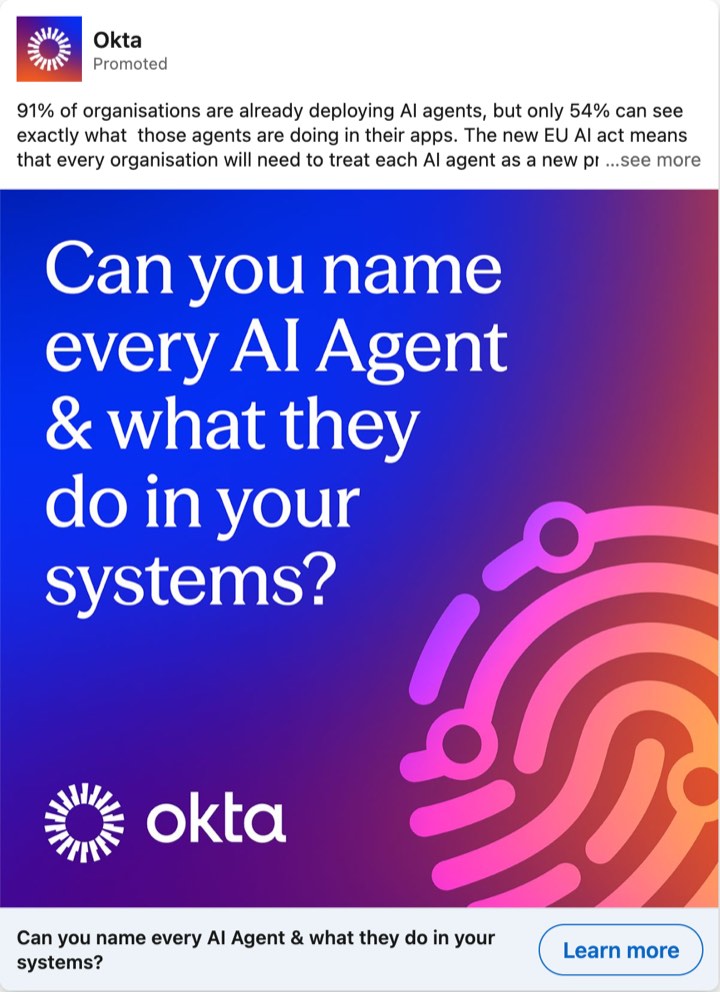
The hook type matters as well. A self-test names a problem that only its owner can fail. Okta's ad about artificial intelligence (AI) agents asks "Can you name every AI Agent & what they do in your systems?" (Okta). A gap hook opens a question that anyone in the target job can feel. Both can work. The first draws the owner. The second draws the owner and the learner. For more on first lines, see B2B ad hooks. For the reason behind the ad, see B2B ad angles. A specific promise also needs proof the buyer can check. See proof points in B2B ads.
Teams that run a lot of fast, AI-made creative often report the same story: a good CPL, then leads who came in out of curiosity. That is practice we hear, not a measured result. The tool that made the picture does not change the filters. The first line and the offer do.
Filter 3: the price of entry
The price of entry is what the reader gives to get the offer: data, time, a promise to talk. A free template pack that anyone can use has a low price. A dated webinar costs time. A call with an expert costs a conversation. A seat in a city on a set day costs most. A higher price gives fewer leads, and the leads that stay are closer to a decision. That is our reading. A LinkedIn Learning course says the same about forms: "Shorter forms often lead to higher conversion rates, while longer forms signal higher intent" (LinkedIn Learning). Raise the price until the leads that remain are the ones sales calls first. Stop there.
An offer also has to fit the product. Jon Loomer says a free lead magnet should match the later upsell, and that the reader must see what the data is for (Loomer).
A quick scan: curiosity against buyers
This table is our reading. It rests on the sources above and on the ads we read. It is practice and not a measured result.
| Tends to draw curiosity | Tends to draw buyers |
|---|---|
| A headline that opens a gap, such as "Here is how" | A headline that names a problem the reader can test against |
| A whole job function, such as "marketers" | A role plus a situation, such as heads of paid media whose CMO wants one page |
| A free asset that anyone can use | An asset tied to a work situation |
| A big outcome number with no situation | A result tied to a named situation, with a source |
| A one-tap, prefilled form | A form with a review step, a question or a work email check |
| No stated next step | A stated next step: who will call and when |
Eight public ads, read on the ad side
We coded the ad side of eight public ads from the two libraries. The libraries show no forms, no pages and no results. We do not know which of these ads brought good leads. We call an ad with few filters a wide door and an ad with many a narrow door. That label is our reading. LinkedIn's library shows impressions as a band for the whole run, and Meta's library shows an estimate of reach in the European Union (EU). We read the bands and the reach figures on 22 and 23 October 2026, and they can change while an ad runs. A number inside an ad is the advertiser's own claim, because the ads name no source. German quotes carry our translation.
| Ad | The words | Who it calls out | Price of entry | Our reading |
|---|---|---|---|---|
| Zendesk, LinkedIn | "Etwas lief nicht so, wie es sollte." ("Something did not go as it should.") and "Holen Sie sich jetzt unsere kostenlosen Vorlagen für Entschuldigungsschreiben an Kund:innen." ("Get our free templates for apology letters to customers now.") | Anyone who ever wrote to an upset customer | A free download of 25 templates | Wide. A student and a head of support both want it. Band: 30k to 50k impressions. |
| Snowflake, LinkedIn | Copy (GTM means go-to-market): "Snowflake's leadership share the exact framework behind their GTM AI transformation, including what didn't work. Free ebook." Document title: "~37% Revenue Growth. 5x ROI. Here Is How." | Go-to-market leaders, by the cover title only | A free ebook of 43 pages | Wide to medium. The numbers open a gap for any reader in the target job. Band: 20k to 30k. |
| Okta, LinkedIn | "Can you name every AI Agent & what they do in your systems?" | The people who must govern AI agents under the EU AI Act, named by their situation | An expert guide to download | Narrow. Only the owner of the problem feels the question. Band: under 1k. |
| Shopify, LinkedIn | "See what's possible beyond BigCommerce" | Users of a named rival | The button says "Learn more" | Narrow. Only a BigCommerce user feels addressed. Band: 1k to 5k. |
| GitLab, LinkedIn message ad | "I'm hosting a small group of technology leaders at WEITBLICK, Munich on 25 November" and "No sales pitch, just industry and peer conversations." | Technology leaders | A seat at a dated event in one city | Narrow, with the highest price in this table. Band: under 1k. |
| Personio, Meta | On the image: "Hey HR-Teams! Ist Ihr Unternehmen auf die Transparenzpflicht vorbereitet?" ("Hey HR teams! Is your company ready for the transparency duty?") | Human resources (HR) teams, by role and by a legal duty | A webinar, button Sign Up | Narrow by role. The law gives the reason. Meta's library showed an EU reach of 290,013 accounts when we read it. |
| sevDesk, Meta | "Tabellen für Rechnungen und Ausgaben werden schnell unübersichtlich." ("Spreadsheets for invoices and expenses quickly become hard to oversee.") and "Keine Kreditkarte nötig." ("No credit card needed.") | People who track invoices in spreadsheets, a situation | A free trial without a card | Narrow by situation, with a low price. EU reach when we read it: 121,796. |
| Personio, Meta | "50% Nachlass & Ihr individuelles Expertengespräch" ("50% discount and your personal expert call") | Non-profit organizations, in the small print on the image | A call with an expert | Narrow, and the call is a high price. Meta shows no reach for this ad. |
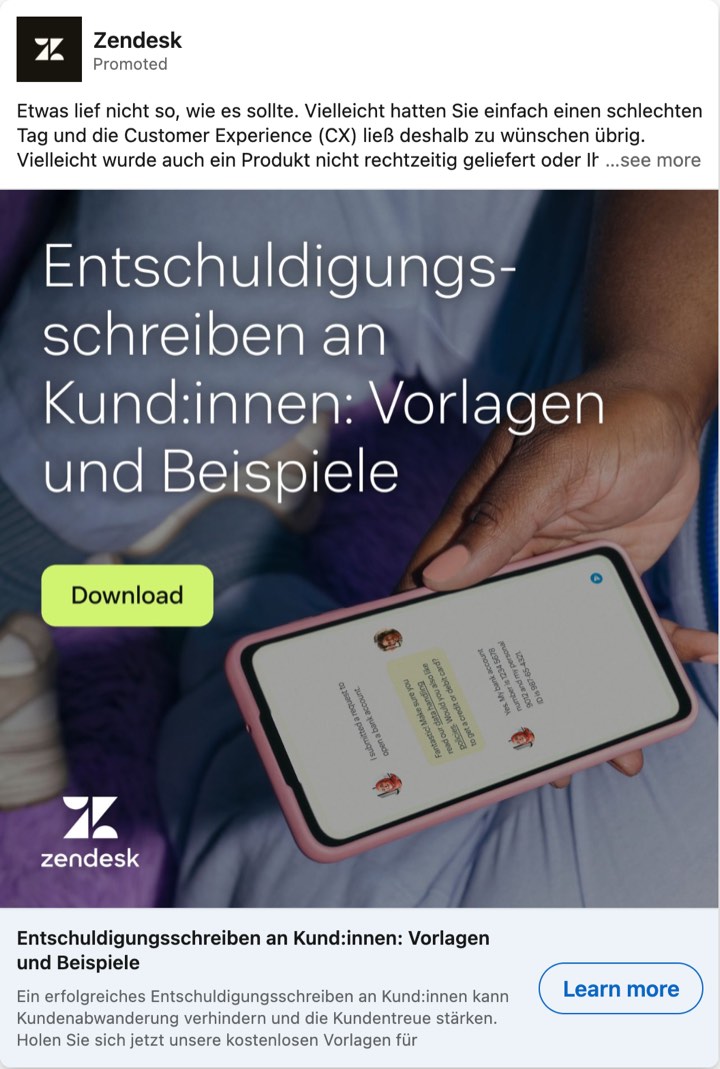
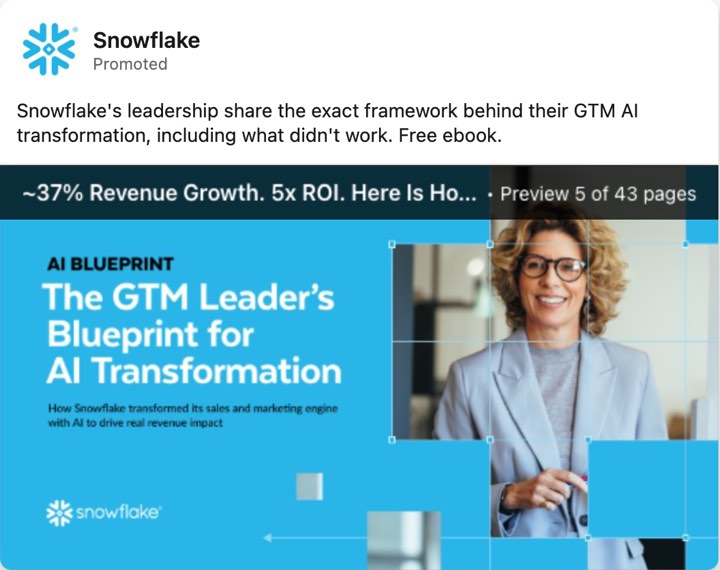
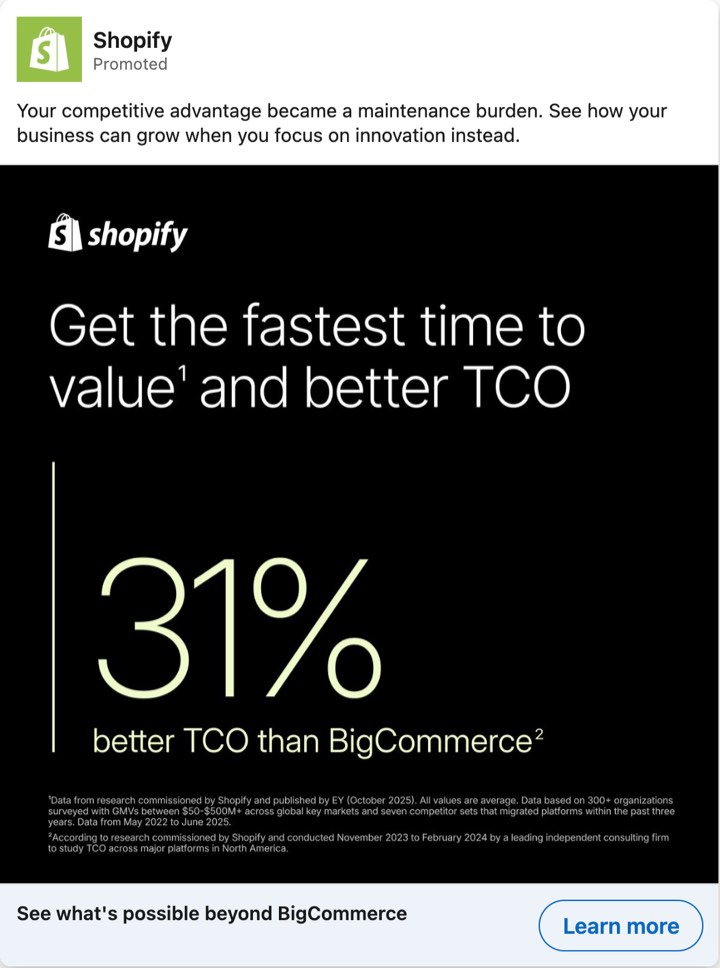
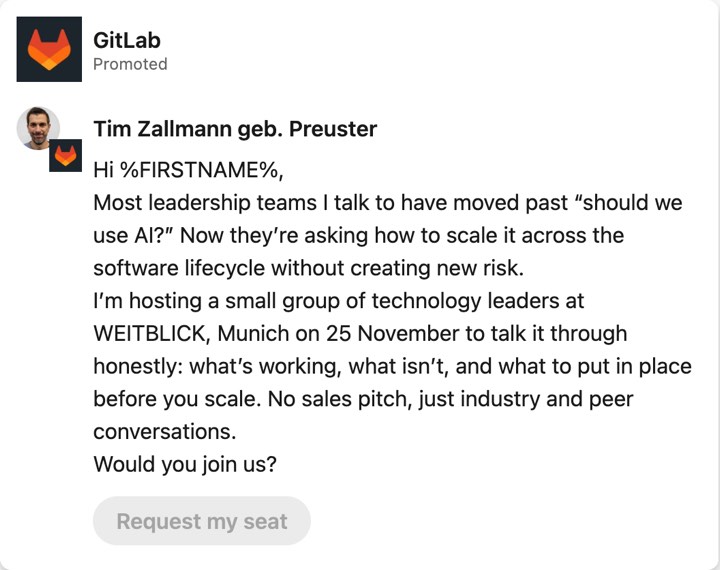
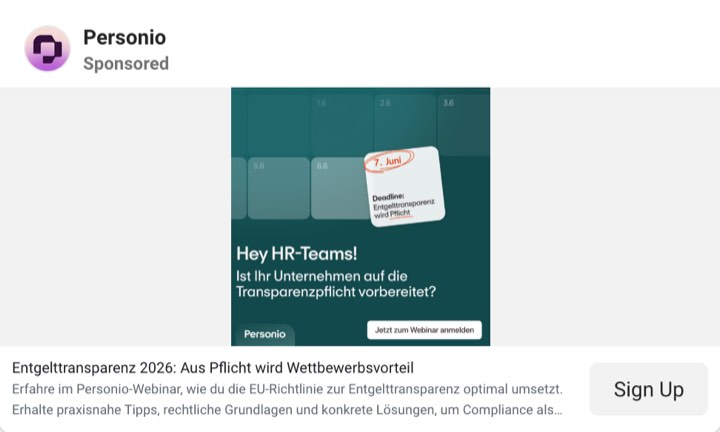
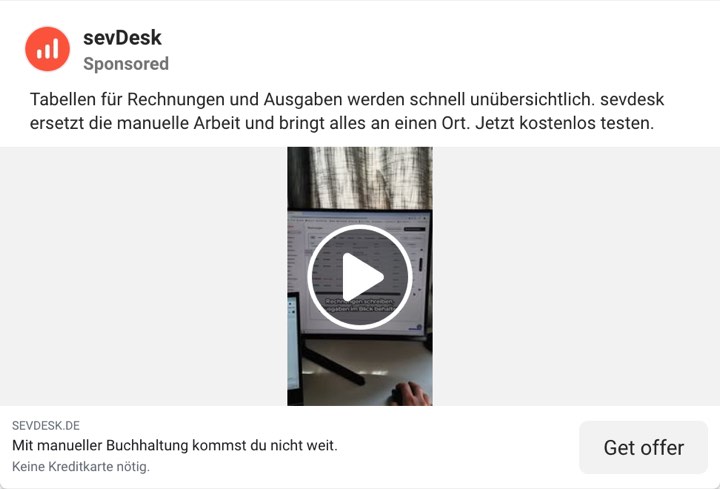
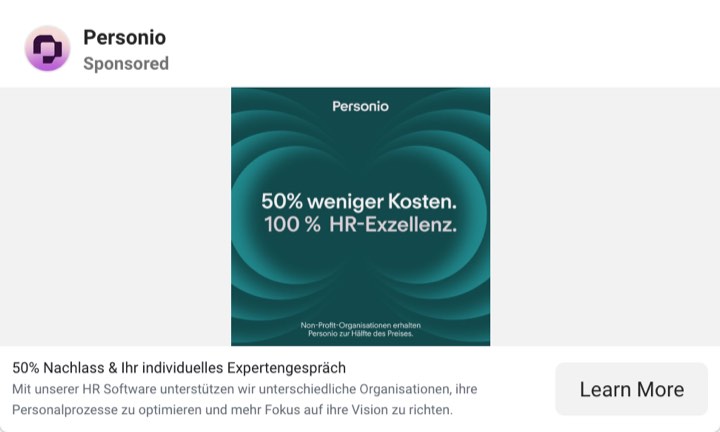
Read the table from top to bottom. The first two ads let in many kinds of reader. The rest name a role, a situation or a rival, and most ask for more than a tap. We cannot say which door brings better leads for these advertisers. We can say that a narrow door shows you who it wants, and a wide door does not. To read your own market this way, use the competitor sheet in the LinkedIn Ad Library guide. The field definitions for offer, named audience and proof are in AI prompts to analyze B2B ads.
What does the form do to the lead mix?
The form decides how much effort a reader spends after the click, and what you learn about them. LinkedIn and Meta both let you add checks. Each check removes some wrong people and some right ones. The table lists the controls that the platforms document.
| Control | Platform | What the platform says | What it can cost |
|---|---|---|---|
| Validate work email | An option on the work email field. It blocks the most commonly used free domains such as Hotmail, Yahoo and Gmail. It "doesn't block every possible email domain" (LinkedIn). | The submission rate can fall. | |
| Require work email | Meta | A box under Quality filters. A personal address gets an error message and the person cannot submit (Meta). | Leads and CPL can change. The ad runs on mobile placements only. |
| Custom questions | Up to three. They are required. They are multiple choice or single-line text. The first answer is pre-selected (LinkedIn). | A 2019 LinkedIn blog post says even one free-response question can lower the submission rate by 3 to 4 percent. That is LinkedIn's own number (LinkedIn). | |
| Multiple choice questions | Meta | "Fewer multiple choice questions results in more form submissions, whereas more multiple choice questions typically results in more quality leads" (Meta). | Each question lowers volume. |
| Conditional logic | Meta | A closing answer ends the form, and the person is not a lead (Meta). | Meta says it may increase CPL. |
| Higher intent form | Meta | A review screen and a note under the contact fields that the business may follow up. It shows only in Facebook and Instagram feeds on mobile (Meta). | Fewer submissions, in our reading. Meta says the form prevents submissions from people who are only marginally interested, and it gives no volume figure on the page we read. |
| SMS (short message service) verification | Meta | A one-time password sent by text message. A landline number cannot verify. Meta says it filters fake leads such as spam bots (Meta). | Fewer leads. The phone field must be on the form. |
Three habits cost little.
First, say who will call. LinkedIn's own advice is to include in the thank-you message how and when you will contact the person, and to make the message and the form agree (LinkedIn). Meta's Higher intent form builds a similar note into the form. A person who wants no call can leave at that line. That is a filter that costs the honest reader nothing.
Second, on LinkedIn, use the default answer. LinkedIn pre-selects the first answer of a multiple choice question. A lazy tap keeps the default. So make the first answer the honest low-intent one, such as "Just looking". Then a careless submission labels itself, and sales can read the label. This is our suggestion, and we have not tested it.
Third, ask one question the buyer answers in two seconds. Meta's own example for a B2B white paper download uses four prefilled fields: first name, work email, job title and company name. It adds custom questions such as "How many employees does your company have?", "When are you looking to evaluate a service?" and "What is your biggest challenge?" (Meta). Pick one of them. Do not ask all three.
Copy this text for the form intro and the thank-you message.
FORM INTRO
[One sentence that repeats the promise of the ad, word for word.]
A person from [company] will [call or email] you within [time] about [topic].

QUESTION (multiple choice; on LinkedIn the first answer is pre-selected)
[Question the buyer answers in two seconds, for example: How soon do you want a tool like this?]
1. Just looking
2. Within three months
3. Within a month
4. Now

THANK-YOU TEXT
Thank you, [first name]. Your [asset] is here: [ungated link]. [Name] from [company] will [call or email] you on [day] about [topic]. If this is not what you expected, write to [email address] and tell us.
LinkedIn does not deliver the asset for you. Its help page says to enter an ungated link in the thank-you message, or to send the file yourself from the downloaded leads (LinkedIn). Put the link in the thank-you text. Everyone who sent the form gets the asset at once, and the sentence about the call sets the expectation for the first contact.
Three more points. Jon Loomer reports an option to turn off autofill for the email and phone fields in some accounts (Loomer). We found no Meta help page for it, so check whether your account shows it. He also argues that the low-quality reputation of instant forms rests on outdated assumptions, and that a website form has its own risks: the page may be the weak part (Loomer). A third-party guide puts the limit of any check in one line: "Verification is not qualification" (Growthspree). A work email proves the person has an employer. It does not prove the person has your problem.
Who actually saw the ad?
The people who saw the ad are not always the people you targeted. Read the delivered audience before you rewrite the ad, because a wrong crowd looks the same as a wrong promise in the lead list. LinkedIn shows the job of the viewer. Meta does not.
Professional Demographics in Campaign Manager reports the professional details of the members who interacted with your ads, by targeting facet, for example job title (LinkedIn). LinkedIn's reporting documentation names job function, seniority and company size among the others (Microsoft Learn). The report exists at the account, campaign, ad set and ad level. For ad sets with the Lead Generation objective you can pick the Leads columns: lead form opens, open rate, leads and lead form completion rate. So you can see which seniority and which job function actually complete your form. LinkedIn's own advice is to use this data to match segments to content (LinkedIn). The help page adds three cautions. The numbers are approximate, within three units in almost all cases. One member can count in several categories, so the totals may not match the ad set totals. And LinkedIn does not always measure impressions at the member level, so it sometimes fills the gap with predictive models.
Three settings can widen the crowd.
- Audience expansion. LinkedIn turns it on automatically where it is available (LinkedIn). LinkedIn says you may see "impressions delivered amongst professional demographics that don't always match your targeting selections", and the example given is a different seniority level (LinkedIn). Add the attributes you do not want as exclusions.
- Auto-Targeting. LinkedIn builds the audience for you from its own professional audience, platform signals and your inputs (LinkedIn). The delivered report matters more here, because you did not pick the audience.
- The LinkedIn Audience Network. When it is on for an ad set, any ad in that set can also show on third-party sites and apps. You cannot run an off-LinkedIn-only set. It is open only to single image, carousel, document and video ads (LinkedIn). The On/Off Network breakdown in Campaign Manager shows clicks and impressions on LinkedIn against the network (LinkedIn).
Meta
The breakdowns that Meta documents for its insights reporting include age, gender, country, region and placement (the platform and the position). The list has no job title, job function, seniority, industry or company (Meta). So the reporting does not show the job of the people who saw a Meta ad. The words of the ad and the answers on the form have to show it. In our reading, this is why the first line matters more on Meta.
The breakdowns still find pockets of cheap leads. Jon Loomer reports that Meta sent him many low-quality leads from people over 65, because "people over 65 seem to cost less", and that he bids less on that group with value rules (Loomer). That is the pattern from the first section: the platform finds the people who finish the form most cheaply. Here it shows in one account. Meta also warns that location targeting is not exact: you "may occasionally see a small number of ad impressions, or even receive a message or lead, from outside of your location settings" (Meta). One PPC Agency warns that in new campaigns the Audience Network placement can take over the budget, and advises you to turn it off if needed, at least until the campaign has enough conversion data (One PPC Agency).
How to compare delivery with your buyer
- Write the buyer in one line.
- Open the delivered report for the same dates as the leads.
- Find the largest slice that is not your buyer. Ask which setting let it in.
- Check that slice against the worst pile. If the same group fills both, you found the cause.
Nimblet syncs the same delivery data. It shows who each ad reached next to the read of that ad's offer and named audience. For the formats and the choice of container on LinkedIn, see LinkedIn ad formats. For the wider Meta setup, see Facebook ads for B2B.
Does the landing page keep the promise of the ad?
Check that the ad, the form intro, the page and the thank-you text make the same promise in the same words. When they differ, you collect people who expected something else, and the first call starts with confusion. On a lead form, the form is the landing page.
LinkedIn tells advertisers to check that the message and the form agree and that "your message should clearly relate to the form". Its advice for many form opens and few leads is to cut fields or revise the wording of the creative (LinkedIn). Jon Loomer asks for the same on a website page: it must match the ad "thematically, creatively, and textually", and the confirmation page must say what happens next (Loomer). For a website form he also suggests a separate confirmation page for people who answer a qualifying question in a way that disqualifies them, a page that does not fire the conversion event (Loomer).
Ask five questions of each ad, in this order.
- Does the page headline repeat the key words of the ad?
- Does the page offer the same thing as the ad, and not a bigger ask?
- Does the page name the same reader as the ad?
- Can the reader see the next step and its price before they give data?
- Does the thank-you text deliver what the ad promised?
Take the Quillbook example. Ad C promises "a 20-minute walkthrough". The form intro behind it says "Start your free trial". A reader who expects a trial fills the form and then wonders why a person calls. That is code W7. Make the form intro say "Book a 20-minute walkthrough". The mismatch is gone, and the change costs no budget. Some readers who wanted a trial will now skip the form, which is the aim.
The landing page check in Nimblet (Pro, Enterprise and Agency plans) reads whether a page keeps the promise of the ad that sends traffic to it.
Which fix matches which cause?
Find the code that most of your worst leads carry, and use the first fix in its row. The last column shows what the fix costs. Change one thing, then read the next 20 leads of that ad.
| What you see | Likely cause | First fix | What it costs |
|---|---|---|---|
| Students, interns, juniors (W1) | The first line names no role or level. Audience expansion or Auto-Targeting widens the crowd. | Name the role in the first line. Check Professional Demographics. On LinkedIn, turn audience expansion off and add exclusions for seniority and title. On Meta the first line does this work. | A smaller audience. |
| Freelancers, agencies, vendors, rivals (W2) | The offer suits anyone. Targeting lets in the wrong company types. | Tie the offer to a situation only your buyer has, such as reporting to a CMO. Exclude company types and sizes where the platform allows it. | A smaller audience. |
| Wanted the free item only (W3) | The price of entry is too low. The asset helps anyone. | Tie the asset to a work situation. Ask one question about that situation. Or offer something that needs a date or a call. | Fewer leads, higher CPL. |
| Curiosity tap, no reply (W4) | A curiosity hook. A prefilled form. A default answer that signals nothing. | Lead with a problem only the owner feels. Add a review step (Meta Higher intent) or one question. On LinkedIn, make the pre-selected first answer the honest one. | Fewer leads. |
| Free email address (W5) | No work email check. A sign-up event that counts every sign-up. | LinkedIn: Validate work email. Meta: Require work email. For sign-ups on your site: filter the event (see the freemail section). | Fewer leads. Some real buyers use free addresses. |
| Wrong number or bounced email (W6) | Profile data that is old. No check. | Meta: SMS verification. Ask only for the contact field you will use. Check the speed of the first call. | Fewer leads. |
| "I expected something else" (W7) | The ad, the form and the page promise different things. | Make the ad, the intro, the page and the thank-you text say the same. Say who will call and when. | No budget. Readers who expected something else will leave. |
| Wrong country or language (W8) | A location setting, or a delivery leak. | Check the location settings. Expect a few strays: Meta says exact accuracy cannot be guaranteed. | None. |
| Bots or duplicates (W9) | Fake submissions. | Meta: SMS verification. Remove duplicates by email in your sheet. | Fewer leads. |
| Right people, wrong moment | Not a filter problem. | Add a timing question. Call faster. | One more question. |
Order the work this way: mismatches between the ad and the page first, because they cost nothing. Then the words of the ad, then the offer, then the delivery settings, then the form. The form costs the most volume, so change it last. Use Part 3 of the sheet as a launch check too. An ad that cannot answer filters 1 to 3 in one line each is not ready. For the rule on when to stop an ad that stays weak, see when to pause an ad.
Here is a prompt that runs the audit with an AI assistant. Remove names, email addresses and phone numbers from the leads before you paste them. Keep the job title, the company type and size, the country and whether the email is a work or a free address.
You are a B2B paid social analyst. I run LinkedIn and Meta lead ads. Sales says the leads are poor. Find which of six filters explains the poor leads. Use only the material I paste below. If a part is missing, write "not given" and do not guess.

The six filters:
1. Who the ad calls out. Which words in the first line name a role, a situation or a rival?
2. How specific the promise is. Does it name a situation, a result and who the offer is not for?
3. Price of entry of the offer. What does the reader give to get it: data, time, a call, a seat?
4. The form. Fields, work email check, questions, default answer, and the line that says who will call.
5. Who saw the ad. Compare the delivered audience with the buyer I describe.
6. The landing page or thank-you text. Does it keep the promise of the ad?

My buyer: [job, company type and size, country]

The ad (exact words): [headline, body text, button]
The form or landing page (exact words and fields): [intro text, fields, questions with answer options, thank-you text, page headline]
Targeting and delivery: [targeting settings, audience expansion on or off, delivered audience by seniority, job function, company size and country, or by age, gender, placement and country]
Leads (one per line, 10 to 20): [best or worst, job title, company type and size, email type (work or free), country, one line from sales]

Do this:
1. Give each filter a verdict: wide, narrow or not given. Quote the words that show it.
2. Put every worst lead under one code: W1 wrong role or level, W2 wrong company, W3 wanted the free asset only, W4 curiosity tap, W5 free email address, W6 cannot be reached, W7 confused, W8 wrong country or language, W9 bot or duplicate. If none fits, write W0 and say why.
3. Use this map to find the filter that most worst leads point to: W1 and W2 point to filters 1 and 5. W3 points to filters 2 and 3. W4 points to filters 2, 3 and 4. W5, W6 and W9 point to filter 4. W7 points to filters 4 and 6. W8 points to filter 5. Count the worst leads per filter. If the top filter is "not given", say it is unchecked and name the next filter that I can check. If I gave best leads, say what they share that the worst leads lack.
4. Suggest one change to that filter. If the change is a rewrite, write the exact new words.
5. Say what I should read next to check the change, for example the next 20 leads of this ad.

Rules: Quote my words exactly. Do not invent numbers. Do not judge a lead on anything that is not in the data I pasted. Stay on the ad, the offer, the form and the delivery. Do not discuss sales stages or revenue. Write short sentences. If I give fewer than 10 leads, say that the pattern is weak.
Return a table for steps 1 and 2, and plain sentences for steps 3 to 5.
Here is an illustrative output for the Quillbook example, with ad B pasted as the ad, a form with five prefilled fields and no question, and the four leads of ad B from the table above (leads 6 to 9). We wrote it by hand to show the shape. It is not a real account and not a model run.
| Filter | Verdict | Words that show it |
|---|---|---|
| 1. Who the ad calls out | wide | "for marketers" names a whole job function, no level and no company type |
| 2. How specific the promise is | wide | "Free report templates" names no situation and no result |
| 3. Price of entry | wide | "Download": one tap, prefilled |
| 4. The form | wide | Five prefilled fields, no work email check, no question |
| 5. Who saw the ad | not given | No delivered report was pasted |
| 6. The page or thank-you text | not given | No text was pasted |
| Lead | Code | Why, from the pasted data |
|---|---|---|
| 6 | W1 | Job title is student |
| 7 | W2 | One-person company, free email address |
| 8 | W1 | Job title is intern |
| 9 | W3 | Consultant, 2 staff, free email; sales note: never replied |
Filters 1 and 5 have three worst leads (W1 twice, W2 once). Filters 2 and 3 have one (W3). Most worst leads point to filters 1 and 5, and filter 5 is unchecked, because no delivered report was pasted. So filter 1 is the one to change. No best leads were given, so there is nothing to compare. Only four leads were given, so the pattern is weak.
Change: rewrite the first line to name the role and the situation, for example "Heads of paid media: your CMO wants one page on what the ads did. 12 templates for that page."
Read next: the next 20 leads of ad B, and the delivered report by seniority.
What is freemail drift on Meta sign-up campaigns?
Freemail drift is the slow shift of a sign-up campaign toward people with free email addresses such as Gmail or Outlook. In our reading, it happens when Meta learns from an event that every sign-up triggers. The easiest sign-ups often come from private people, so delivery drifts toward them. The cause sits in the event you send.
Meta's auction text names the lever. The winning ad is the one with the highest total value. One of the three parts of that value is the "estimated action rates", an estimate of whether a particular person engages with or converts from a particular ad (Meta). In our reading, if every sign-up counts, the people who sign up most easily have the highest estimated rate, and each cheap sign-up trains delivery to find more people like them. In our experience, B2B sign-up campaigns on Meta that optimize on any sign-up drift toward free addresses over time. That is practice and not a measured result. We give no number, because the size of the drift differs by account.
Are freemail sign-ups fake leads?
Mostly not, in our experience. Three different things hide behind a free address.
- Fake sign-ups come from bots and throwaway addresses. That is a fraud problem.
- Wrong sign-ups are real people who will never buy: students, hobbyists, people who want a free tool at home.
- Right sign-ups with a private address are real buyers. A founder of a five-person firm may sign up with Gmail.
So treat the freemail share as a hint, and compare free and company sign-ups on what they do next.
How do you measure the share per ad?
Meta reports a count of sign-ups. It does not show who they are. Use your own sign-up data.
- Put the ad in the link (Step 2 above) and store it with each sign-up.
- Export the sign-ups for a period with the email address and the ad value.
- Mark each domain as free or company with a list of free providers.
- For each ad, divide spend by the number of company-domain sign-ups.
- Compare ads with the same goal and the same audience.
Here are constructed numbers. Ad A spends 500 euros and brings 100 sign-ups, 70 of them on free domains. Its cost per sign-up is 5.00 euros, and its cost per company-domain sign-up is 16.67 euros (500 divided by 30). Ad B spends 500 euros and brings 40 sign-ups, 8 of them on free domains. Its cost per sign-up is 12.50 euros, 2.5 times that of ad A. Its cost per company-domain sign-up is 15.63 euros (500 divided by 32). On the cost per sign-up, ad A looks 2.5 times cheaper. On company-domain sign-ups the two ads are close, and 30 against 32 is within noise. The cost per sign-up hid that.
Use this sheet. It marks the domain type with one formula.
FREEMAIL CHECK PER AD (spreadsheet)

Tab "signups", one row per sign-up
A: email   B: ad (the utm_content value)   C: type
C2 (fill down): =IFERROR(IF(COUNTIF(FreeDomains!A:A, LOWER(TRIM(MID(A2, FIND("@", A2) + 1, 100)))) > 0, "free", "company"), "invalid")

Tab "FreeDomains", one domain per row, for example
gmail.com
googlemail.com
outlook.com
hotmail.com
live.com
yahoo.com
icloud.com
gmx.de
gmx.net
web.de
t-online.de
proton.me
(add every free domain that you see in your own sign-ups)

Tab "ads", one row per ad
A: ad   B: spend
C: sign-ups =COUNTIF(signups!B:B, A2)
D: company sign-ups =COUNTIFS(signups!B:B, A2, signups!C:C, "company")
E: share not on a company domain =1 - D2/C2
F: cost per sign-up =B2/C2
G: cost per company sign-up =B2/D2

Compare ads of the same goal and audience only. To combine several ads, add their spend and their sign-ups first, then divide. Do not average the cost columns.
The check is a hint. A freelancer on their own domain counts as company. A manager at a large firm who uses Gmail counts as free.
What fixes freemail drift?
Work through these fixes from the strongest down.
- Change the event Meta learns from. Let everyone sign up, but fire the event Meta optimizes on only when the address is a company domain, or when a later qualifying step is done. Jon Loomer gives the logic for a website form: send people who disqualify themselves to a page that does not fire the conversion event. In his words, "you want Meta to learn from good leads, not bad ones" (Loomer). Applying that logic to the email domain is our suggestion. If you send the event with both the pixel and the Conversions API, Meta says to share the same events through both tools. Use the same event name and an event ID, so each event counts once (Meta). Then the pixel must apply the same filter, or the unfiltered event still reaches Meta.
- Watch the event volume. Meta says an ad set usually leaves the learning phase after about 50 results in the week after its last significant edit. It also says that many small ad sets teach the system less than a few combined ones (Meta). If the filtered event is too rare, merge ad sets or move the filter one step later.
- Add a step before the sign-up counts. One question about role or company size, or a verification link, is enough to start.
- If you also run instant forms, use the quality filters in the table above: Require work email and SMS verification.
- Check the ad. An offer built around a company workflow draws different people from an offer for anyone. Change one thing at a time.
On LinkedIn the form does this job. The Validate work email option blocks the common free domains in the work email field.
Should you block freemail completely?
Block it only if your product has no use for a private-address user and sales never follows up on them. For most self-serve products we would not block. A hard block removes some real buyers and cuts the volume that Meta learns from. The better move keeps the door open and stops teaching Meta to look for free addresses.
How do you check that the fix worked?
Give the change one learning period, then compare the same ads before and after. Change nothing else in that period. The company-domain share should rise. The cost per sign-up will probably rise too. That is expected. The cost per company-domain sign-up should fall, and so should the cost per later step that your product records, such as a created workspace. If the cost per company-domain sign-up fell, the fix worked, even when the number of sign-ups dropped.
Frequently asked questions
Is a free email address always a bad lead?
No. Founders, freelancers and people at small firms can use one. A free address is bad only when the person never replies or never uses the product. Compare free and company leads on what happens next in your own data, then decide.
Should I require a work email?
Test it on one campaign. LinkedIn's check blocks the most common free domains, not all of them. Meta's check runs only on mobile placements. Both can lower volume and raise CPL. Jon Loomer notes that it is not clear how Meta checks the address, and that small firms without a company address drop out (Loomer). A work email also does not prove the person has your problem, so pair it with a question or a sharper first line.
Are instant forms and Lead Gen Forms worse than landing pages?
They fill themselves from the profile, so the effort is lower. In our reading, the crowd that finishes them is wider. Jon Loomer says the bad reputation of instant forms rests on outdated assumptions and that a landing page has its own risks, so he suggests trying both (Loomer). Test one offer in both places and compare cost per fit lead.
How many leads do I need to read before I trust the picture?
Twenty per ad gives a rough range. One lead moves the share by 5 points. With 20 leads read, a fit share of 40 percent could sit anywhere from about 22 to 61 percent. With 40 read, the same share runs from about 26 to 55 percent. Use the read to choose what to change, then read the next batch.
What if the leads are fine and sales is the problem?
Check the first call. Ask how fast new leads are called, whether the numbers work and whether the follow-up says what the ad promised. Jon Loomer warns that claims of low-quality leads are often excuses to avoid accountability, so he starts with the team's own follow-up (Loomer). If the best and worst piles look the same on every ad, look at follow-up before you touch an ad.
How long should I wait after a change?
Wait for the next 20 leads of the changed ad, not for a date. On Meta, a significant edit can reset learning, and an ad set usually exits learning after about 50 results in the week after the edit (Meta). Small budgets reach 20 leads slowly, so change fewer things.
Can Nimblet measure lead quality or freemail share?
No. Nimblet does not see lead emails, names or answers. It reads your LinkedIn and Meta ad accounts. It shows who each ad reached, and it reads the offer, the named audience and the proof of each ad. On Pro, Enterprise and Agency plans it also checks whether the page keeps the promise of the ad. It only reads and never changes a campaign, so you make each change in the platform. See creative intelligence and pricing.