
LinkedIn Ad Library research: code competitor ads and find the angle nobody claims
Nimblet teamUpdated 27 min read
Short answer
The LinkedIn Ad Library shows what competitors say, to whom and for how long, but never what the ads earned. Code each ad in one sheet, set the claims against your buyer's problems, and the problem no rival claims is your open angle. Below you get the sheet, a gap-map prompt, the same method for the Meta Ad Library and a 90-minute monthly routine.
On this page9 sections
- 01What does the LinkedIn Ad Library show, and what does it leave out?
- 02How do you search it so you find advertisers you did not know about?
- 03How do you code a competitor ad so two people write the same row?
- 04What can run time prove about a competitor ad?
- 05How do you read the EU targeting fields?
- 06How do you turn 30 coded ads into a map of open angles?
- 07How do you run the same research in the Meta Ad Library?
- 08How do you keep the research current in 90 minutes a month?
- 09Frequently asked questions
We read every page linked below on 22 and 23 October 2026. The libraries change without notice, so treat a fact older than a month as a reason to check again. Where a number comes from our own reads, the text says so.
What does the LinkedIn Ad Library show, and what does it leave out?
The Ad Library shows the ad, the advertiser, the payer and the format. It shows no spend, no clicks and no results. A competitor ad therefore tells you what the competitor chose to say and to whom. It does not tell you whether the ad worked.
LinkedIn's help page sets the scope: "The Ad Library includes ads that ran on LinkedIn after June 1, 2023, and ads remain in Ad Library for one year after their last impression on LinkedIn." Anyone can search it, with or without a LinkedIn account. Advertisers cannot opt out.
| Field | Which ads | Where we read it |
|---|---|---|
| Ad preview, format, advertiser name, payer name, and whether the ad is restricted | All ads | LinkedIn help page |
| No preview, no advertiser name and no payer name | Restricted ads | LinkedIn help page |
| Run dates, estimated impressions, impressions by country, targeting | Ads targeted to the European Union (EU) | LinkedIn help page |
| Spend, clicks, click-through rate, conversions, objective, budget | No ad shows these | Our read of 92 detail pages |
All dates use Coordinated Universal Time (UTC). In LinkedIn's FAQ the start date is the first impression and the end date is the last impression. So an ad that still runs shows the day you looked as its end date. The library has no "active" label. Read "to [today]" as "still delivering".
Other guides disagree on how far back the library goes. Some write that it shows ads "from the last 12 months". Others write that it shows only active ads. We follow LinkedIn. Our reads agree with LinkedIn. On 23 October 2026 the library still listed a video that ran from 7 May 2025 to 11 November 2025. It had stopped, so the library does not show only active ads. It started 17 months earlier, so the library does not show only ads that started in the last 12 months.

The EU fields exist because of a law. Meta's help page names the Digital Services Act (DSA) as the reason for its EU data. LinkedIn's help page says only "to comply with the law". Article 39 of the DSA tells very large online platforms to keep a public ad repository. The repository must hold the payer, the period, the main targeting parameters and the number of people reached. The platform must keep it up "until one year after the advertisement was presented for the last time". We read Article 39 as the rule behind both help pages.
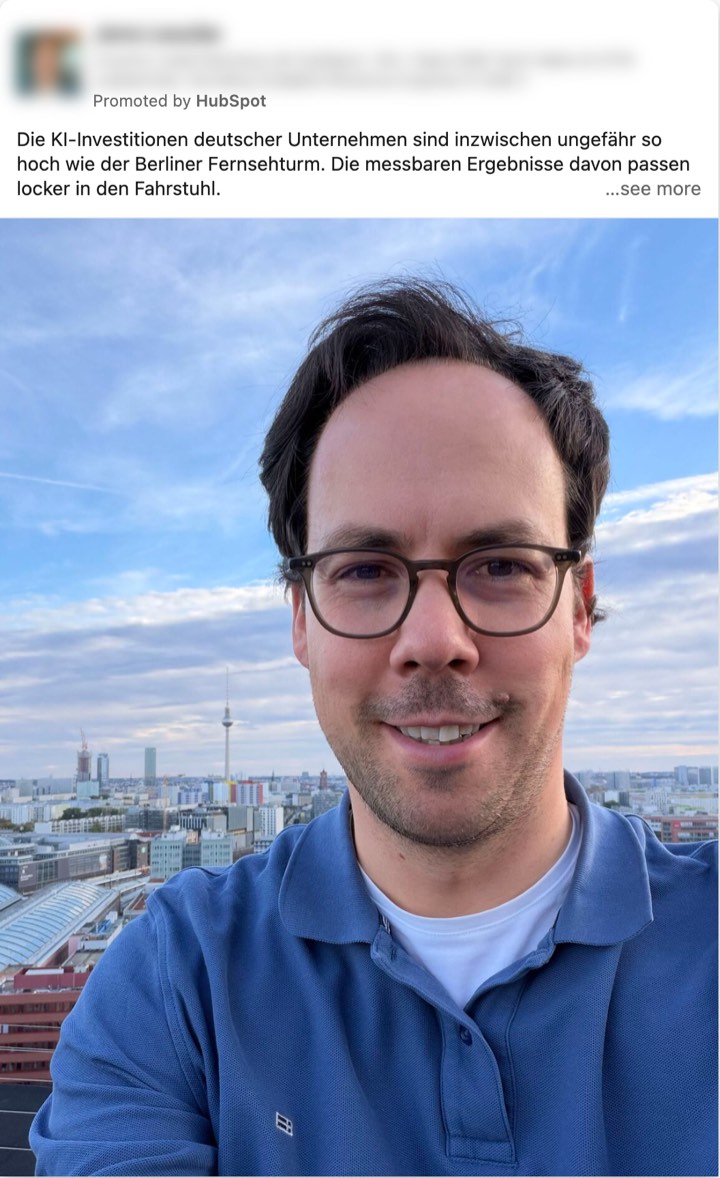
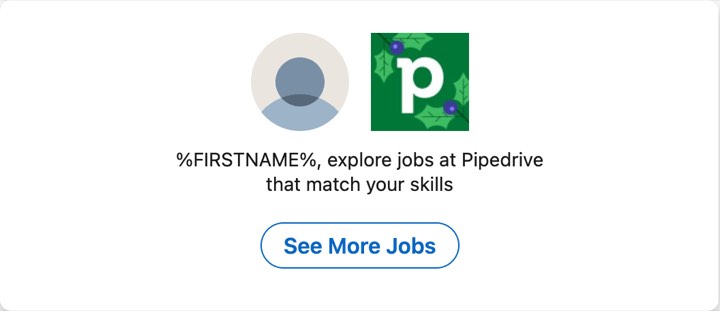
Three quirks from our reads. A thought leader ad has no label. It shows as a Single Image Ad or a LinkedIn Article Ad, with the poster's name on top and "Promoted by [company]", as in this entry. The same text can run under many separate IDs (identification numbers). Message ads and job ads show the merge field %FIRSTNAME% unfilled, as in this job ad.
How do you search it so you find advertisers you did not know about?
Search in three layers. Start with named rivals, then search the words your buyer uses for the problem, then search the agencies that pay for ads. The first two layers are common advice, and we add the third. Take the agency names from the Paid for by line of the rival ads you have already coded. Each layer finds advertisers the one before it misses.
The search form has five boxes. We tested each one on 23 October 2026.
| Box | What it matched in our tests | Use it to |
|---|---|---|
| Company or advertiser | The page name, and also page taglines. A search for ServiceNow listed a connector vendor first, because its tagline names ServiceNow. | Read a rival's own ads. Check the Advertiser line on every card. |
| Payer | The company that paid. A search for an agency group listed ads from several brands. We opened two, and both named an agency of that group as payer. | Find ads that agencies place. See which brands one agency serves. |
| Keyword | Words in the ad text. A five-word sentence from a known ad found that ad, and 261 others for Germany. Quotation marks changed nothing, so the search matches words, not the exact phrase. | Find advertisers that talk about your buyer's problem. Expect loose matches. |
| Country | Ads that matched the country, even when most impressions went elsewhere. A Germany search returned an ad that sent 41% of its impressions to Turkey and 1% to Germany. | Pick an EU country to see impressions and targeting. |
| Date | Ads that ran at any time in the range. An ad that started on 18 August still showed for a range of 1 to 7 September. | Narrow to one month. Results come newest first. |
The date box offers last 30 days, this month, this year, last year or a custom range. These addresses worked on 23 October 2026. If one fails, use the form.
https://www.linkedin.com/ad-library/search?accountOwner=[rival name]&countries=DE
https://www.linkedin.com/ad-library/search?keyword=[word your buyer uses]&countries=DE
https://www.linkedin.com/ad-library/search?payer=[agency name]&countries=DE
https://www.facebook.com/ads/library/?active_status=all&ad_type=all&country=DE&q=[word or rival name]&search_type=keyword_unordered&media_type=all
Replace DE with the two-letter code of another EU country when you sell there. Open detail pages at a human pace. The library has no save feature, so log every ad you want to keep.
How do you code a competitor ad so two people write the same row?
Use fixed columns, closed lists wherever you can, and exact words for the hook. Code from the text first and from the picture second. The sheet below has 15 columns. Most use a closed list or an exact copy. Angle, Buyer and risk, and Picture need your judgment, and each has a length or format rule.
Understory reduces the creative of each campaign to hook, proof and call to action, and we keep that shorthand. Its examples are anonymised composites, so you cannot open them. We add the buyer and the risk that role carries, the size of the ask, and the landing page.
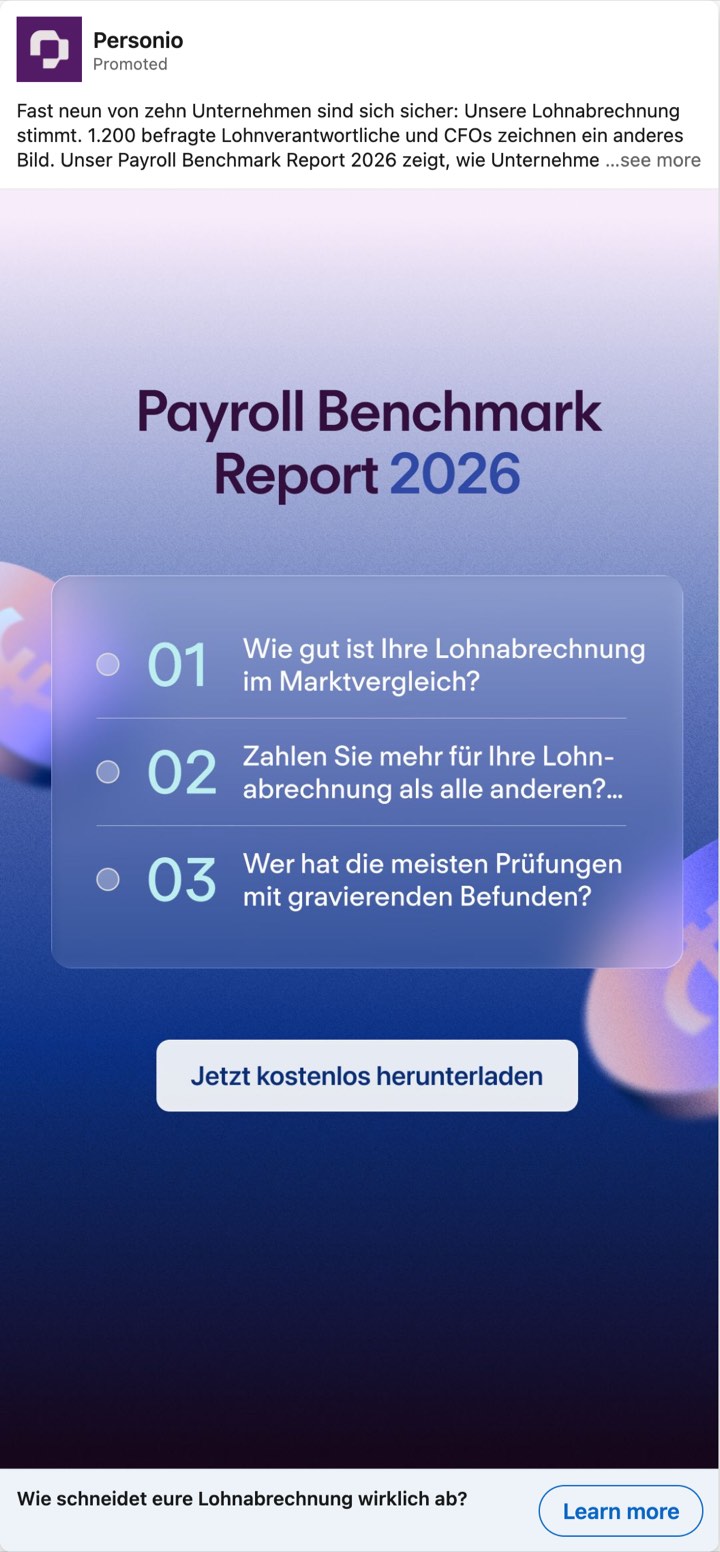
The Buyer and risk column is the one most sheets lack. In our reading, a buyer says yes when an ad lowers a risk that this person carries alone. We read the Personio ad as aimed at a payroll lead who signs off the numbers: it shows that feeling sure and being right differ. We read the HubSpot ad as aimed at a sales rep who rebuilds each call from memory: it writes the notes and the next step. Two rivals can claim one angle and still aim at two different fears. For more on these fears, see psychology-of-b2b-ads. For the full lists behind the columns, see b2b-ad-hooks, b2b-ad-angles and proof-points-in-b2b-ads. For the reading card that Nimblet applies to your own ads, see ai-prompts-to-analyze-b2b-ads.
COMPETITOR AD SHEET. One row per ad. Fill every column. Write "not shown" when the library hides a field.

1. Advertiser: the name in the Advertiser line. If the payer is an agency, say so in Note.
2. Library and link: LinkedIn or Meta, and the address of the entry.
3. Format: the library's word. On Meta, write image or video.
4. First seen: LinkedIn, the date after "Ran from". Meta, the "Started running on" date. If the library hides it, your pull date.
5. Last seen: LinkedIn, the date after "to". Meta, the end date of an Inactive ad, or your pull date for an Active ad.
6. Pull date: the day you read the entry.
7. Where it ran: up to three countries with their shares of impressions (LinkedIn, EU-targeted ads). On Meta, the countries targeted.
8. Hook: the first sentence the buyer reads. If there is no text, the words on the picture. Copy it exactly, in its own language. Never tidy it.
9. Angle: the reason to say yes, in 3 to 8 words, with a verb, in the buyer's terms. Example: Replace the spreadsheet with a board.
10. Buyer and risk: one role, a colon, then what that role risks by saying yes. Add (inferred) if the ad names no role.
11. Proof kind: pick one. Named customer, unnamed customer, own survey, own number (no source), analyst badge, user count, review score, expert on screen, product shown, none. Add the name or number as written.
12. Offer and ask: what the buyer gets, then one word for what the buyer gives. Attention (read, watch), details (a form), seller time (demo, call) or money (buy, start a paid plan).
13. Landing page promise: the main heading of the page the ad links to, copied exactly. Then "same" if it repeats the ad's offer, or "shifted" if it asks for something else.
14. Picture: what the image or the first seconds show, in 10 words or fewer.
15. Note: anything odd. Agency payer, one-day run, unfilled merge field, ad not opened.
To paste the columns into row 1 of a spreadsheet, use this line. The gaps are tabs.
Advertiser Library and link Format First seen Last seen Pull date Where it ran Hook Angle Buyer and risk Proof kind Offer and ask Landing page promise Picture Note
Three real ads show the rules at work. Two hooks are German, so we add an English translation. In your sheet, keep the original words. CRM in the third hook means customer relationship management software.
| Field | Personio, LinkedIn | HubSpot, Meta | ServiceNow, LinkedIn |
|---|---|---|---|
| Format and dates | Single Image Ad. 19 to 23 October 2026, still delivering | Image. Started 22 October 2026, active | Single Image Ad. 16 to 23 October 2026, still delivering |
| Where it ran | Germany 61%, Austria 21%, Switzerland 17% | Germany targeted, ages 22 to 64 | Germany 100%. Payer is an agency |
| Hook | "Fast neun von zehn Unternehmen sind sich sicher: Unsere Lohnabrechnung stimmt." (Nearly nine in ten firms are sure their payroll is right.) | "Notetaker zeichnet das Gespräch auf, erstellt die Zusammenfassung und formuliert Ihren nächsten Schritt automatisch vor." (Notetaker records the call, writes the summary and drafts your next step.) | "Most CRMs only track work." |
| Angle | Test your payroll against other firms | Calls write their own notes and next steps | Software that finishes the work it records |
| Buyer and risk | Payroll lead: signs off numbers that may be wrong. The survey in the text names payroll leads and CFOs | Sales rep: rebuilds each call from memory (inferred) | Customer service lead: pays for a tool that records work but does not finish it (inferred) |
| Proof kind | Own survey: 1,200 payroll leads and CFOs. The number is the advertiser's own | None | Analyst badge: Forrester names the maker a Leader in Customer Service Solutions |
| Offer and ask | Free benchmark report. Details: the page asks for role and company size before the download | See details. Attention | Read the analyst report. Attention |
| Landing page promise | "Payroll Benchmark Report 2026", the report on the gap between feeling sure and what happens. Same | "KI-Notetaker für Vertriebsteams". Shifted: the page sells at 7 € a month and offers a demo | Not opened: the link passes an ad-server tracker, so the address stays hidden until you click |
| Picture | Purple card with the report title and three questions | Meeting-notes mock-up on dark purple | Purple card with a star and a Forrester Leader line |
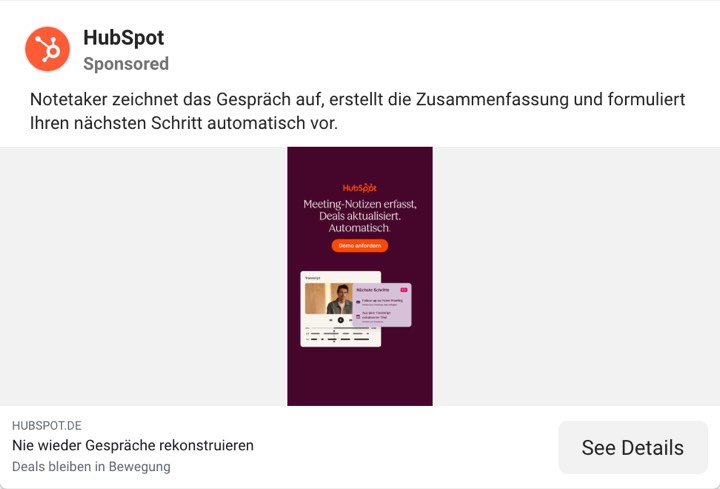
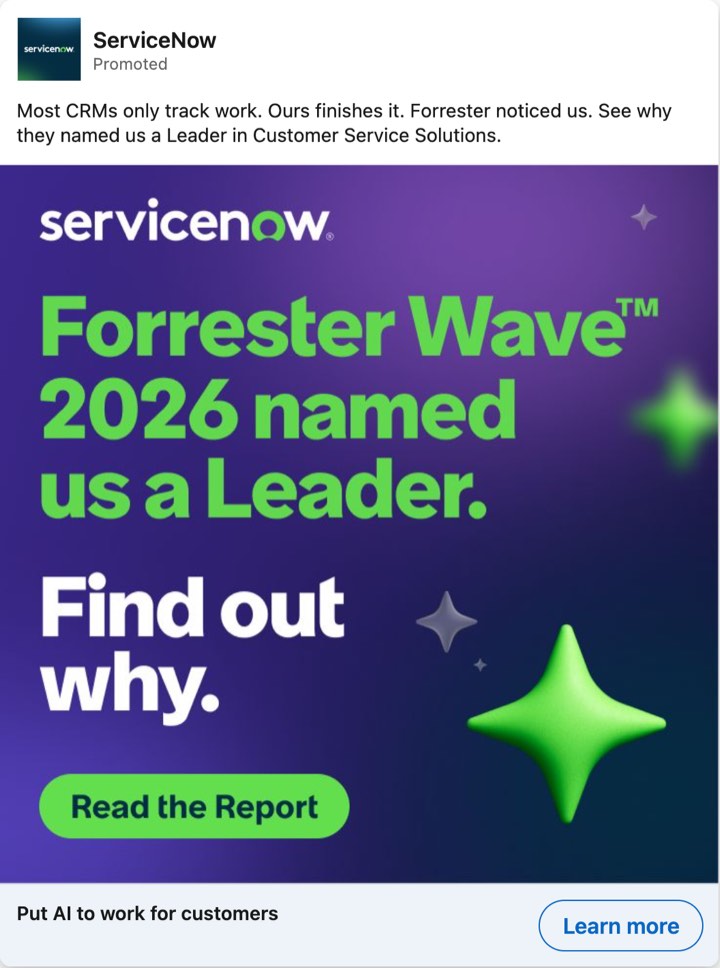
The HubSpot row shows why the landing page column earns its place. The ad asks for attention. The page we read on 23 October 2026 has two buttons, "Jetzt für 7 €/Monat kaufen" and "Demo anfordern". The Meta card links to the page through a Meta redirect. The Personio headline links to its page directly. The ServiceNow link goes through a click tracker, so you cannot see the destination without a click.
Before you trust the sheet, let two people code the same five ads. The closed columns must match. The angle phrases may use different words, but they must mean the same thing. Where the meaning differs, write the rule that settles it into the sheet.
What can run time prove about a competitor ad?
Run time shows how long an advertiser kept paying for an ad. It does not show that the ad worked. A run length is a budget decision you can observe, and the library shows no performance. Dated offers stop on schedule whatever the results, small budgets can run for months, and awareness campaigns often end at month boundaries.
Four entries from our reads show how little a run window proves.
| Run window | What it can mean | Entry |
|---|---|---|
| 1 April to 30 September 2026 | A planned flight with fixed dates looks like this. An end date is not a verdict. | Cloudflare |
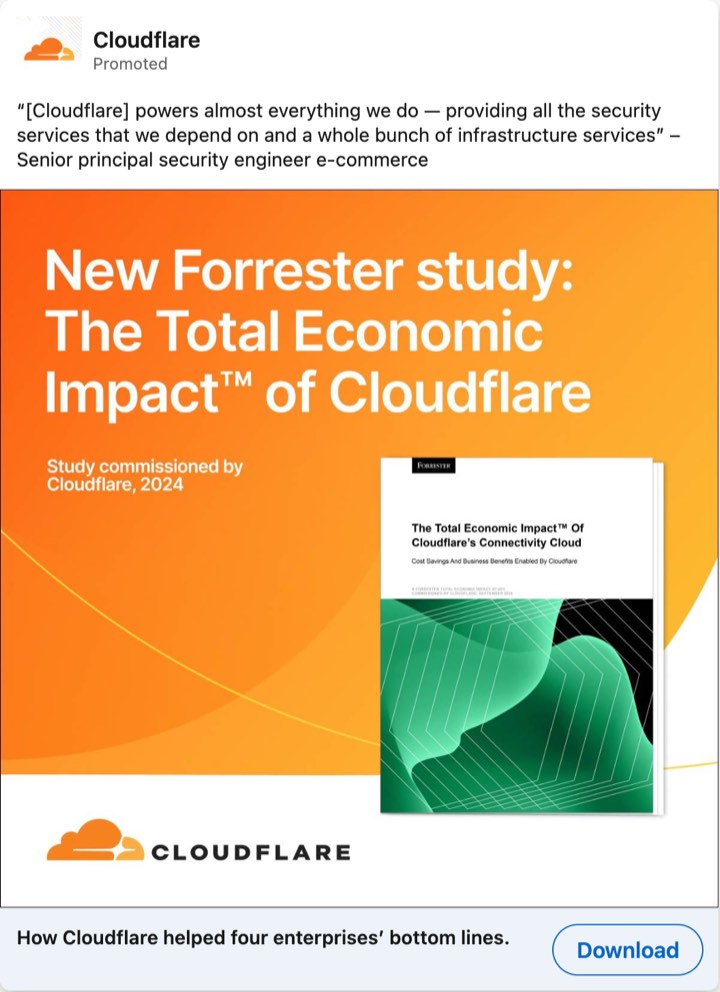
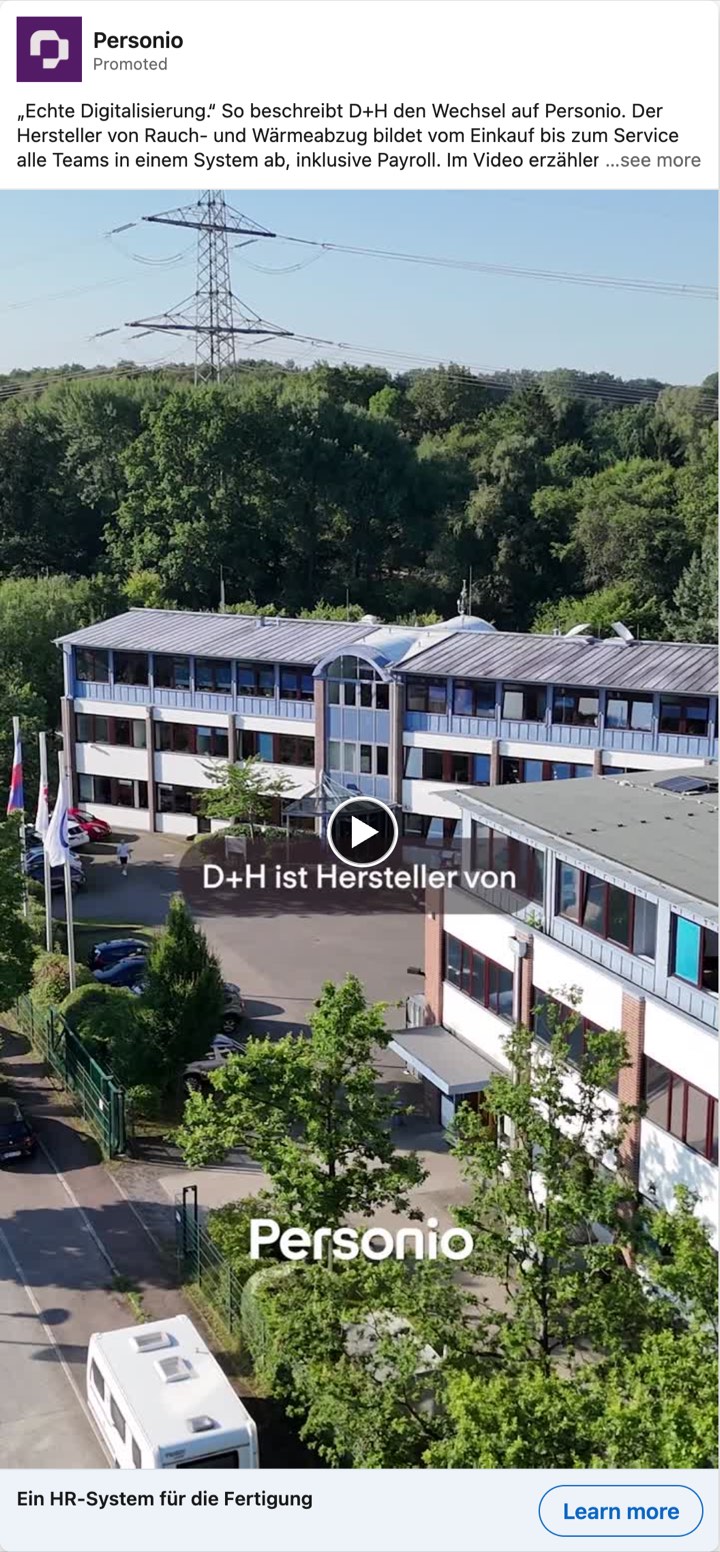
| 31 December 2023 to 23 October 2026 | A job ad. It is employer branding that runs on, so its run time says nothing about a sales message. | Pipedrive |
| One day, under 1,000 impressions | A test, an event day or a mistake. One entry cannot tell you which. | Personio |
| Eight new Meta ads on one day with eight different headlines | Visible copy testing. It shows intent, not a test design and not a result. | HubSpot |
Run time still gives two weak hints. The first is repetition. In our reading, a message that a rival repeats across several new ads is a stronger hint than one long-running ad. The second is survival inside one advertiser's set. Take a start cohort, the ads that began in one month, and check weeks later which still run. Keyword results are also uneven: one advertiser can hold a large share of the results for one keyword. Count advertisers, not rows, before you quote a share.
Write run length in the sheet as a fact, such as "ran 41 days, still delivering". Never write "winner". Never turn an impression band into spend. LinkedIn publishes no spend. Some guides multiply bands by an assumed cost per thousand impressions, and the assumption decides the answer. The bands also move, as the next section shows.
How do you read the EU targeting fields?
The EU fields show how big an ad ran, where its impressions landed and which kinds of people it aimed at. For job, company and audience targeting they show the category, not the values behind it. They appear for ads targeted to the EU. To see them, set the country filter to an EU country.
| Field | What it shows | How to read it |
|---|---|---|
| Total impressions | A band, for example 10k-20k | A rough size at the time you looked. Not exact. Not spend. |
| Impressions by country | Shares, rounded to the nearest percent. A share under 1% shows as "< 1%" | Where the ad ran. Use "Show more" for the full list. |
| Language | Profile language of the people targeted | Not the language of the copy. |
| Location | Countries included or excluded | Where the advertiser aimed. |
| Targeting table | Audience, Demographic, Company, Education, Job, Member Interests and Traits, each marked Targeted or Excluded | Which kinds of targeting the advertiser used. The table does not name job titles or companies. |
LinkedIn's help page lists the possible parameters, from job and company to predictive audience and audience expansion. LinkedIn's FAQ says the library shows "the top three targeting parameters", and the help page says "main targeting parameters". One entry we read marks three categories as included and three as excluded. So read the table as a set of hints, not as a full list.
Four habits keep you from misreading the fields.
- Read the country split before you call an ad a message to your market. A Germany search returned an ad that sent 41% of its impressions to Turkey, 11% to the United Arab Emirates and 1% to Germany. The ad targeted 22 countries. Separately, LinkedIn says impressions can land outside the targeted countries, for example when a member travels.
- Do not read language as copy. This payroll ad has German copy and targets members whose profile language is English.
- In our reading, an excluded Audience is a list the advertiser keeps out. LinkedIn defines Audience as "matched audiences". The library does not say who is on the list, so do not guess.
- Write the pull date next to every band. We read 36 entries twice, between 16 minutes and 8 hours apart, on 22 and 23 October 2026. The band was lower on the second read for 11 entries. It was higher for none. The country split did not change. One running entry went from
30k-50kto5k-10k. We do not know why, so never subtract one band from another.
How do you turn 30 coded ads into a map of open angles?
Cross the angles rivals claim with the problems your buyer has. A problem that no advertiser addresses is an open angle. A problem that several advertisers address is crowded. Aim for 20 to 40 coded ads from at least five advertisers. The method has five steps, and an artificial intelligence (AI) assistant can do some of them.
- Delete the rows that did not reach your market. Use the "Where it ran" column. A row with 93% of impressions in the United States says nothing about Germany.
- Write your buyer's problems as a numbered list, in the buyer's words. Take them from sales call notes, lost-deal reasons and the questions prospects ask in the first meeting.
- Merge rows whose angles mean the same, and name each group in three to six words.
- Count advertisers per group, not rows. One advertiser with six rows counts once.
- Give every problem a status. Open means no advertiser speaks to it. Claimed means one. Crowded means two or more. With a large set, raise the Crowded line in the prompt to match.
Then list the angle groups that match none of your problems. Either your list misses a real problem, or rivals push a topic that buyers do not raise. Your sales calls settle which.
This table is our reading of where an assistant helps. Checking by a person stays necessary.
| Step | Assistant | Person |
|---|---|---|
| Group coded rows into angles | Does this well. Ask for row numbers and check each group. | Splits or merges groups that look wrong. |
| Spot empty or vague cells | Does this well. | Fixes the cell by opening the ad. |
| Count advertisers per group | Sometimes off. | Counts again from the row numbers. |
| Read the picture or the first seconds of a video | Cannot, unless you give it words. The Picture column holds those words. | Writes the Picture column. |
| Judge the ask | Has no knowledge of your buyer. | Decides if a form is a small ask for this buyer. |
| Decide if an open angle deserves a test | Lists reasons. | Decides, with sales call evidence. |
Do not ask an assistant to browse the libraries. The web fetch tool we used got HTTP 403, the "forbidden" error, from both libraries on 23 October 2026. An assistant with a similar tool may fail the same way. Paste the rows into the chat instead. Paste seven columns: a row number that you add, Advertiser and library, Hook, Angle, Buyer and risk, Proof kind, and Offer and ask.
You help a B2B ad team read what competitors claim in their ads. Work only from the rows I paste. Do not browse. Do not use outside knowledge about these advertisers.

My product and my buyer:
[One to three lines: what we sell, who buys it, in which market]

My buyer's problems, numbered, in the buyer's words:
[1. ...
2. ...
3. ...]

Coded competitor ads, one row per ad, with a header row. Columns: row number, advertiser and library, hook, angle, buyer and risk, proof kind, ask:
[Paste the rows here]

Rules
- The libraries show no results. Never write that an ad or an angle works, wins, fails or sells. Never estimate spend. Write only what the ads claim.
- Count advertisers, not rows. One advertiser with six rows counts once.
- Quote hooks exactly as they appear in the rows.
- Do not invent customers, numbers or quotes.

Step 1. Check the rows.
List each row where a field is empty, the angle is not a short phrase, or the hook looks paraphrased. Give the row number and the field. Say how many rows mark the buyer as (inferred). Then go on with the rows as they are.

Step 2. Group the angles.
Merge rows whose angles mean the same. Name each group in three to six words. For each group list the row numbers and the advertisers.

Step 3. Map my buyer's problems.
For each numbered problem, list the groups that speak to it, with row numbers and advertisers. Give a status:
- Open: no advertiser speaks to it.
- Claimed: one advertiser.
- Crowded: two or more advertisers.

Step 4. Find claims I did not list.
List the groups that speak to none of my problems, each with its advertiser count and the same status as in step 3. For each, say in one sentence which is more likely: my list misses a real buyer problem, or the advertisers push a topic my buyer does not raise. Name one question for a sales call that would settle it.

Step 5. Draft for the open problems.
For up to two problems with status Open, write the angle in 3 to 8 words, the buyer role and the risk that role carries, and one hook of at most 15 words. Where the ad needs proof, write "proof needed" and name the kind of proof. Do not make proof up.

Output: one table with the columns problem, status, groups and row numbers, advertisers. Then the lists for steps 1, 4 and 5. Keep it to about 400 words.
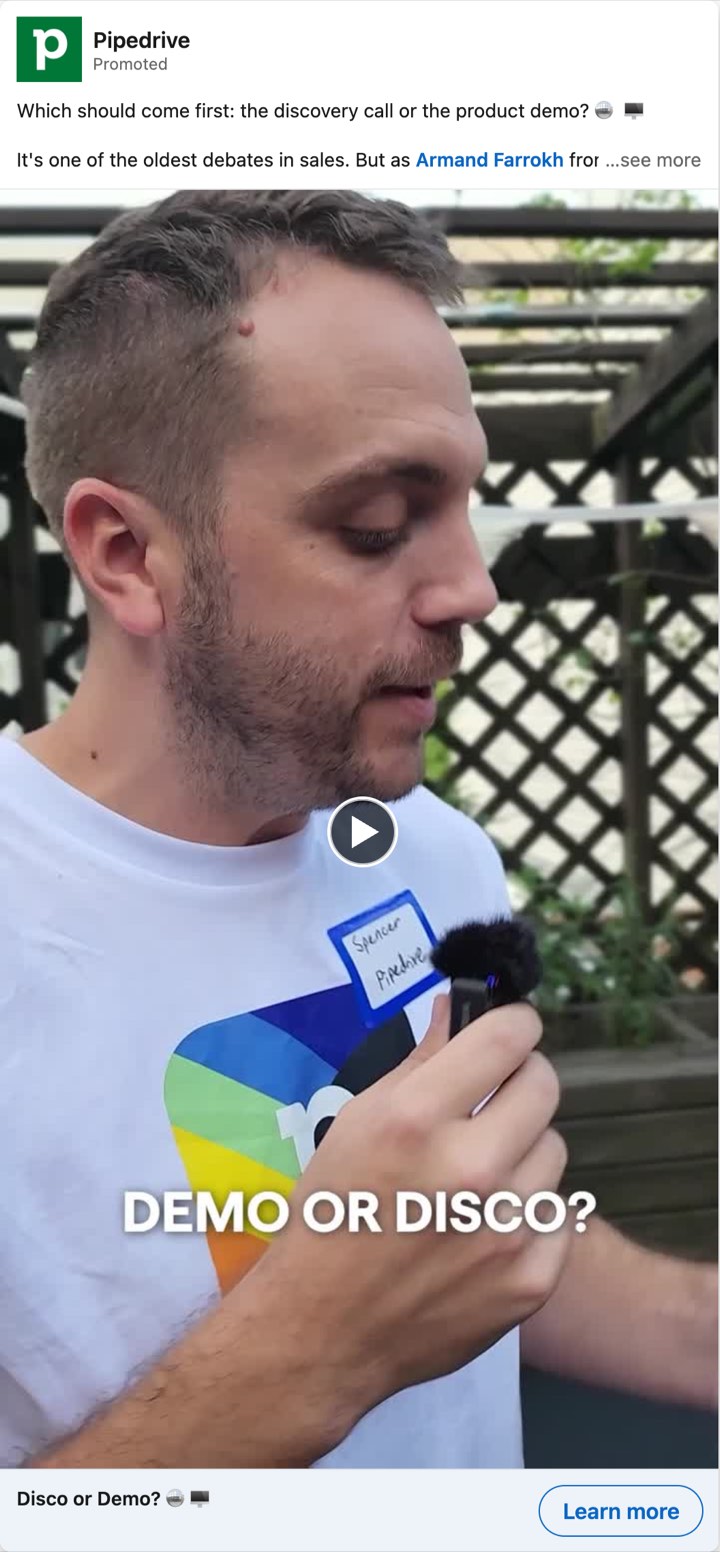
Here is a test of the prompt. The product is invented: a sales CRM (customer relationship management) tool for German firms with 20 to 200 staff. The six buyer problems are invented too. The 12 rows are real ads, read on 22 and 23 October 2026 in the LinkedIn and Meta libraries, all with Germany as the country. Rows 8 and 12 are in English. For the other ten we give our English translation of the hook. We dropped two Pipedrive videos, one with 93% and one with 100% of impressions in the United States.
Buyer problems (invented):
- Reps skip data entry, so records are out of date.
- Leaving the current tool feels risky: lost history, weeks of setup.
- Managers cannot see which deals stall.
- Nobody can say where customer data is stored.
- The price per seat grows with every hire.
- New reps need weeks to learn the tool.
| # | Entry | Hook (our translation) | Angle | Buyer and risk | Proof kind | Ask |
|---|---|---|---|---|---|---|
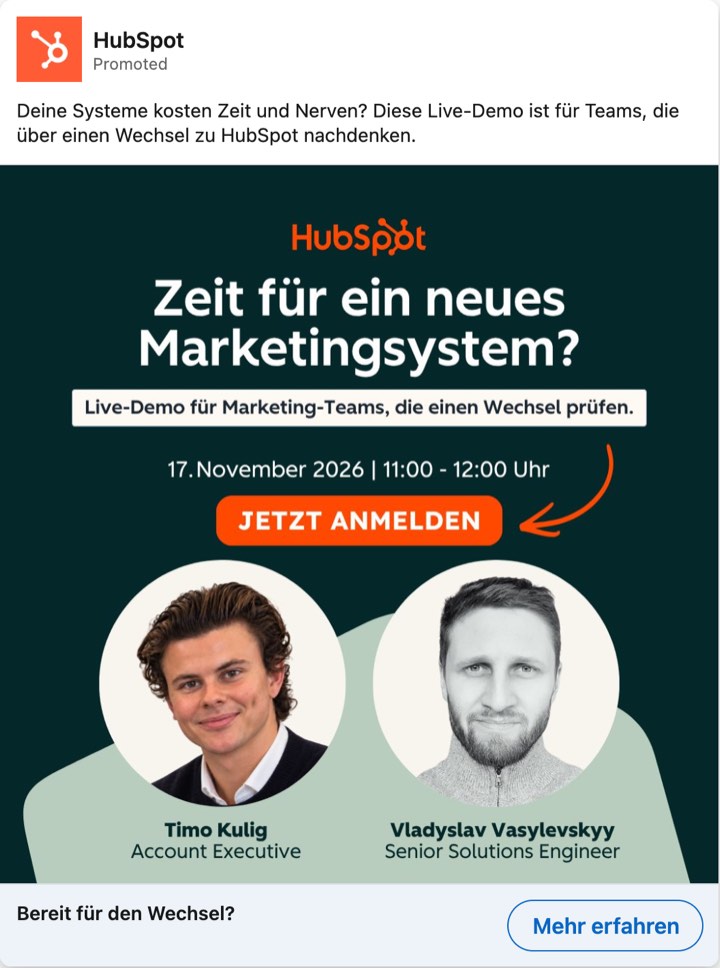
| 1 | HubSpot, LinkedIn image | Do your systems cost you time and nerves? | Switch tools with a live demo | Team lead weighing a switch: loses time to old systems (inferred) | Expert on screen | Seller time |
| 2 | HubSpot, LinkedIn thought leader ad | German firms' AI spend is about as tall as the Berlin TV tower. | AI pays off when it knows company context | Head of sales: AI spend with no measurable result (inferred) | None | Details |
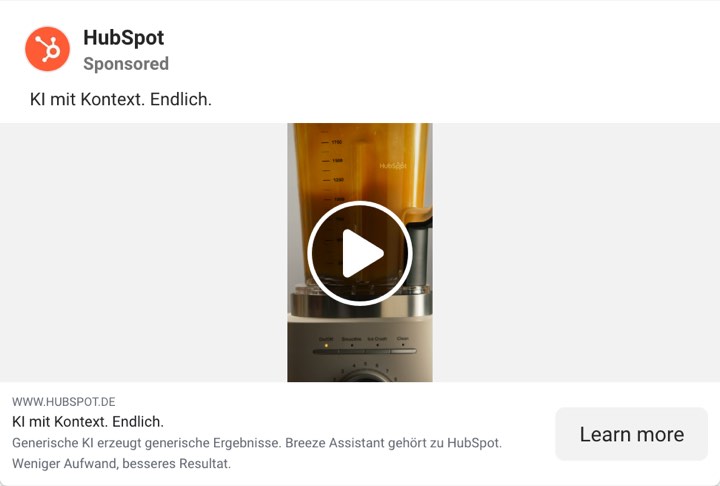
| 3 | HubSpot, Meta video | AI with context. At last. | AI that works from your own customer data | Sales lead: gets generic AI output (inferred) | None | Attention |
| 4 | HubSpot, Meta image | Notetaker records the call, writes the summary and drafts your next step. | Calls write their own notes and next steps | Sales rep: rebuilds calls from memory (inferred) | None | Attention |
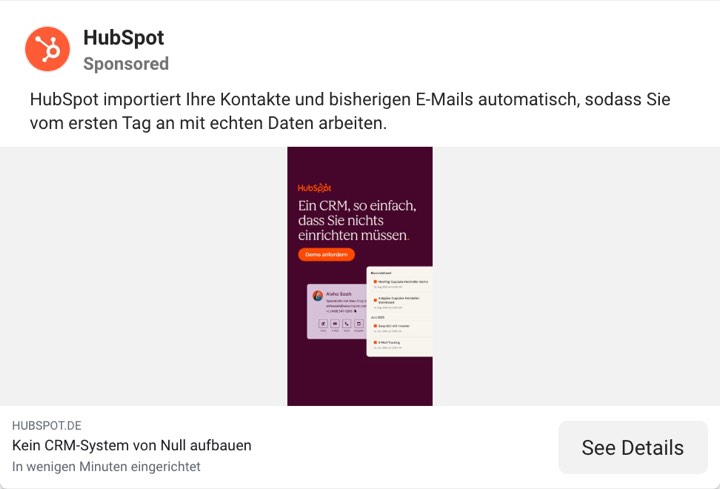
| 5 | HubSpot, Meta image | HubSpot imports your contacts and past emails automatically, so you work with real data from day one. | Start with your old data already in | Sales lead: a switch means a CRM built from zero (inferred) | None | Attention |
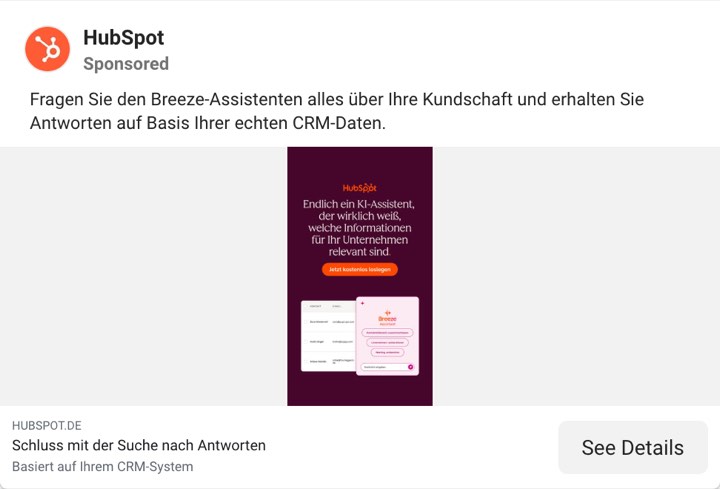
| 6 | HubSpot, Meta image | Ask the assistant anything about your customers and get answers based on your real CRM data. | Ask your data a question, get an answer | Sales lead: hunts for answers across records (inferred) | None | Attention |
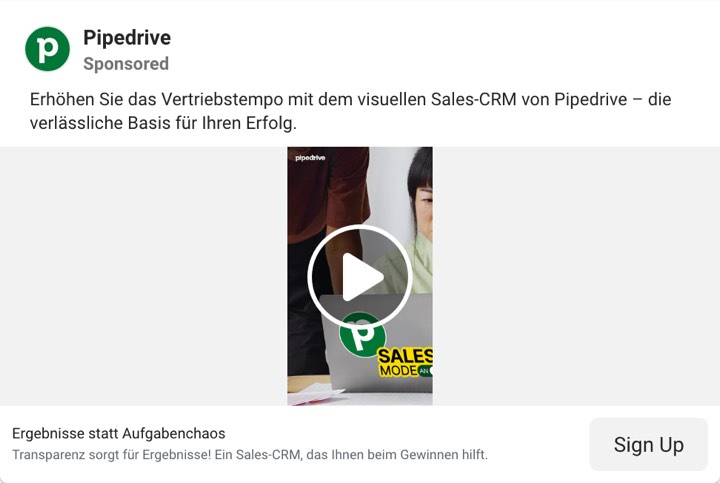
| 7 | Pipedrive, Meta video | Raise your sales speed with the visual sales CRM. | One visual view replaces task chaos | Sales manager: cannot see where deals stand (inferred) | None | Details |
| 8 | ServiceNow, LinkedIn image | Lenovo cut case resolution time by 35% with AI agents handling the grind. | AI agents cut service handling time | Customer service lead: slow case handling (inferred) | Named customer, with a number that is the advertiser's own | Attention |
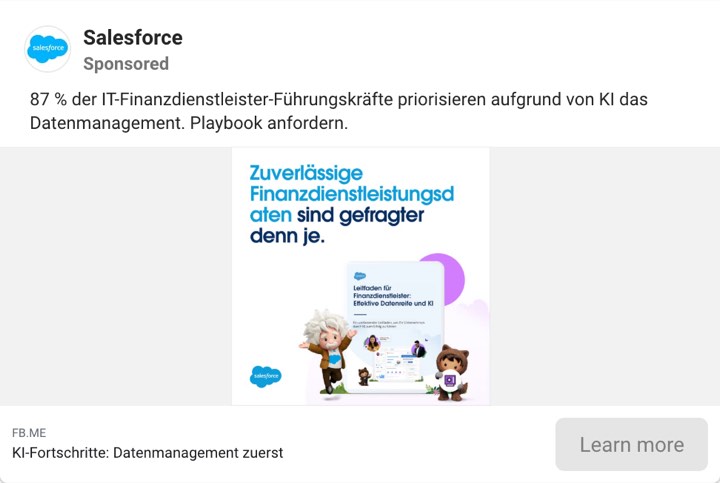
| 9 | Salesforce, Meta image | 87% of IT leaders in financial services put data management first because of AI. | Fix data management before AI | IT leader in financial services: AI on weak data (inferred) | Own number (no source) | Details |
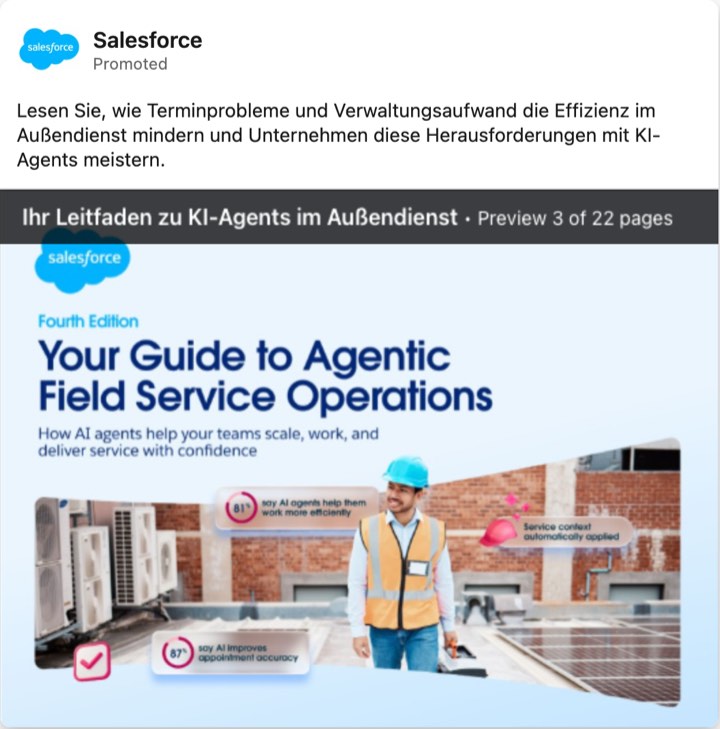
| 10 | Salesforce, LinkedIn document ad | Read how scheduling problems and admin load cut field service efficiency, and how firms solve this with AI agents. | AI agents take over field service scheduling | Head of field service: admin load (inferred) | Own number (no source) | Attention |
| 11 | Slack, LinkedIn video | Europace closes deals with partners faster in Slack. | Close partner deals without email | Partner manager: deals stall in email (inferred) | Named customer | Details |
| 12 | ServiceNow, LinkedIn image | Most CRMs only track work. | Software that finishes the work it records | Customer service lead: tool records work but does not finish it (inferred) | Analyst badge | Attention |

Illustrative output. We wrote it by following the five steps on the 12 rows above. Your assistant will word it differently.
| Problem | Status | Groups and rows | Advertisers |
|---|---|---|---|
| 1. Reps skip data entry | Claimed | Calls write their own notes (4) | HubSpot |
| 2. Leaving feels risky | Claimed | Switch tools with a demo (1), start with your old data (5) | HubSpot |
| 3. Managers cannot see stalled deals | Claimed | One visual view of deals (7) | Pipedrive |
| 4. Nobody knows where data is stored | Open | None | None |
| 5. Price per seat grows | Open | None | None |
| 6. New reps need weeks to learn | Open | None | None |
Step 1. No field is empty, and every angle is a short phrase. All 12 rows mark the buyer as inferred, so read the buyer column as our guess, not as the advertisers' words.
Step 4. Three groups match none of the problems.
- AI depends on your data (rows 2, 3, 6, 9; HubSpot and Salesforce). Crowded, two advertisers. More likely a topic rivals push than one buyers raise. Sales call question: "What do you ask your CRM that it cannot answer today?"
- AI does the work for you (rows 8, 10, 12; ServiceNow and Salesforce). Crowded, two advertisers. Same reading. Sales call question: "Which task would you hand to software first?"
- Close deals with partners outside email (row 11; Slack). Claimed, one advertiser. Possibly a real problem missing from the list. Sales call question: "Where do your deals with partners stall?"
Step 5. Two open problems.
- Problem 4. Angle: Know where your customer data lives. Buyer and risk: Managing director, who answers for where customer data is stored. Hook: "Can you tell your auditor where your customer data lives?" Proof needed: the hosting location and a document that backs it.
- Problem 5. Angle: Price does not grow with each hire. Buyer and risk: Managing director, whose CRM bill grows with every hire. Hook: "Your CRM bill should not grow every time you hire." Proof needed: your price table.
The same rows give counts. Six of the 12 ads show no proof, and five of those six are HubSpot's. Seven ask only for attention, four ask for details and one asks for seller time. None asks for money. That is a gap read from 12 ads, so treat it as a question for the next 30 rows.
Read the result as a list of questions for a test. Twelve ads are below the 20 we ask for, so every Open above is a question for more rows, not a finding. Open does not mean good. A problem can be open because buyers do not care, or because no one can prove the claim. Pick one open problem, write the brief with b2b-creative-brief-template, and test it against your best current ad. For the vocabulary of angles, see b2b-ad-angles.
How do you run the same research in the Meta Ad Library?
Use the same sheet. The Meta Ad Library works differently in three ways: what it keeps, what it shows, and how you reach one advertiser. Meta's help page says the library "contains all active ads that are shown across Meta technologies". Meta's pages name two cases in which ended ads stay.
| Question | LinkedIn Ad Library | Meta Ad Library |
|---|---|---|
| Which ads | Ads that ran since 1 June 2023 | All active ads |
| Ended ads | Kept for one year after the last impression | Kept for one year after the last impression if the ad reached the EU or the United Kingdom. Kept for 7 years if it is about social issues, elections or politics |
| Run dates | EU-targeted ads | Start date for active ads, a date range for ended ones |
| Reach | A band of impressions, with shares by country | Total reach in the EU and the United Kingdom, with a table by location, age and gender |
| Targeting | Categories, marked Targeted or Excluded | Location, age and gender, in the details dialog |
| Spend | Never | Not for ordinary commercial ads |
| Search | Advertiser, payer, keyword, country, date | Keyword or Page name, country, status, media type |
The sources for the table are Meta's help page, Meta's transparency page and the LinkedIn pages above. Seven years applies to ads about social issues, elections or politics. One year applies to ads that reached the EU or the United Kingdom. We found no third case on Meta's pages.
Four steps run the Meta research.
- Search a buyer word or a rival's name. Meta says ads that include the term, or ads run by Pages that include it, may appear. Check the Page name on each card.
- Set the status to all and the country to an EU country, so ended ads show. A Germany search showed an ended ad with a date range of 16 April to 30 June 2026.
- Open one advertiser's Page view. Pasting a Library ID into
facebook.com/ads/library/?id=[Library ID]redirected us to the Page view of the ad's Page. - Click "See ad details" on each ad you code. For ads delivered in the EU, the dialog shows the targeting by location, age and gender, the reach, and the advertiser and payer names.
The Page view shows what the library can tell you about testing. On 23 October 2026 we opened HubSpot's Page view with country Germany. It listed nine active ads. Eight had started on 22 October, and each had its own headline. Three of them read "Nie wieder Gespräche rekonstruieren" (never again rebuild calls), "Kein CRM-System von Null aufbauen" (no CRM built from zero) and "Datensätze, die aktuell bleiben" (records that stay current). The eight lines cover five themes. Three lines sell the call notes in new words. So the burst reads as a copy test. It is not proof of a test design, and the library does not say which line wins. Look again in a month. The lines that still run show what the advertiser kept paying for.
Put both libraries into one sheet with the Library column. Then compare one advertiser across channels. In our reads HubSpot used LinkedIn for a switcher demo and a leader's post about AI, and used Meta for short product lines such as the notetaker. That is a reading of the few ads we opened, not a rule. For the channel question, see linkedin-ads-vs-facebook-ads-b2b. For the Meta system, see facebook-ads-for-b2b.
How do you keep the research current in 90 minutes a month?
Fix one day a month, keep the same searches and add only what is new. The sheet fixes the fields and the prompt does the grouping, so the routine stays small.
| Minutes | Step |
|---|---|
| 10 | Open the sheet and write the pull date. Open your list of rivals, buyer words and agencies. |
| 25 | LinkedIn, rivals: search each rival with your country filter, newest first. Add each entry that is not in the sheet. |
| 10 | LinkedIn, buyer words: run each buyer-word search. Note advertisers you did not know. |
| 20 | Meta: open each rival's Page view with the status set to all. Add new ads. |
| 15 | Code the new rows. For old rows, update Last seen. |
| 10 | Run the prompt on the sheet. Write the note below. |
The note has four lines: new claims since last month, angles that became crowded, the open angle you would test, and the one test. share-creative-learnings shows how to pass the note to the team.
If you save ads often, a saving tool can cut the time. Some ad-saving tools also run a Model Context Protocol (MCP) server for assistants. See how they compare in Nimblet vs Foreplay.
Nimblet does the reading from both libraries. You add a rival by pasting a company page or an ad library address. Nimblet reads each rival ad the way it reads yours: hook, proof, offer and the buyer the ad speaks to. You can sync a rival on demand. Ask Nib which angle your rivals leave open, and Nib can read those rival ads next to your brand context and your documents. The libraries hold no results, so Nimblet shows none for rivals. Competitor tracking needs a paid plan. See competitor ads and pricing.
Frequently asked questions
Is the LinkedIn Ad Library free, and do I need an account?
Yes. LinkedIn says anyone can explore it, with or without a LinkedIn account. We read it with no login and no payment.
How far back does the LinkedIn Ad Library go?
It holds ads that ran after 1 June 2023 and keeps each ad for one year after its last impression. An ad that stopped more than a year ago is gone, so save what you need.
Can I see what a competitor spends on LinkedIn?
No. The library shows no spend. An impression band describes size, not cost, and bands can change between reads. Do not turn a band into a budget.
Can I tell which competitor ad works best?
No. The library holds no results. It tells you what a rival says, to whom and for how long. Use it to find angles the market already uses and angles it leaves open, then test in your own account.
Why do some ads show targeting and impressions and others do not?
LinkedIn shows impressions, targeting and run dates for ads targeted to the EU. An ad aimed only at other regions shows the ad, the format and the names.
Can an advertiser hide its ads from the library?
No. LinkedIn says advertisers cannot opt out. For restricted ads, LinkedIn hides the preview, the advertiser name and the payer name.
Can I export ads from the library?
The library has no save feature. LinkedIn offers an Ad Library application programming interface (API) as a vetted product that you request in its developer portal. Meta's Ad Library API covers ads about social issues, elections or politics, and ads delivered to the EU and associated territories.
Do thought leader ads show in the library?
Yes, but without a label. They show as a Single Image Ad or a LinkedIn Article Ad with the poster's name and "Promoted by [company]". LinkedIn's Ad Library page also offers a separate search for organic posts that creators mark as brand partnerships. Those are not ads. For the format, see linkedin-thought-leader-ads.
Does the Meta Ad Library keep ended ads?
It keeps them for one year after the last impression when the ad reached the EU or the United Kingdom. It keeps ads about social issues, elections or politics for seven years. For other ads, it lists active ads only.